

Get Year
Returns the year of a date as a number.
Get Year returns the year of a date, for example 2024. Use it to build yearly folder names, file names or report periods.
Add the action
In the Process Designer toolbox, open DateTime and pick Get Year (or type Get Year in the search box).
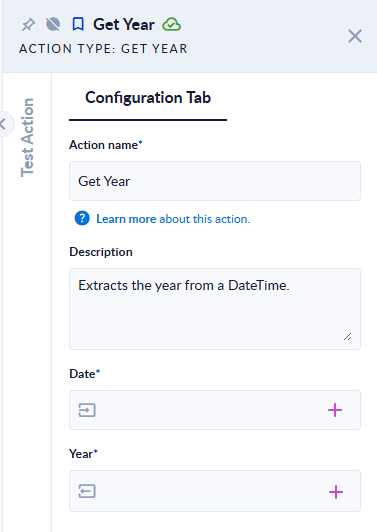
Inputs and outputs
| Field | Direction | Type | Required | What to put / what you get |
|---|---|---|---|---|
| Date | Input | Date and time | Yes | The date and time to read the year from. |
| Year | Output | Integer | Yes | The year. |
Example
| Date | Year |
|---|---|
2024-02-29T23:30:00 | 2024 |
2024-12-31T23:30:00Z | 2024 |
2025-01-01T01:00:00+02:00 | 2024 (the value is 2024-12-31 23:00 in UTC) |
Good to know
- Time zone: a value that carries a UTC offset (for example
2025-01-01T01:00:00+02:00) is first converted to UTC, and the part is read from the UTC value. A value without an offset, or ending inZ, is used as it is. - An empty or invalid Date (for example
2023-02-29ornot a date) stops the step with an error.