

Is Weekend
Checks whether a date falls on a Saturday or a Sunday.
Is Weekend tells you whether a date is a Saturday or a Sunday. Use it with a Decisional action to route weekend requests differently, for example to skip a reminder or send it to an on-call team.
Add the action
In the Process Designer toolbox, open DateTime and pick Is Weekend (or type Is Weekend in the search box).
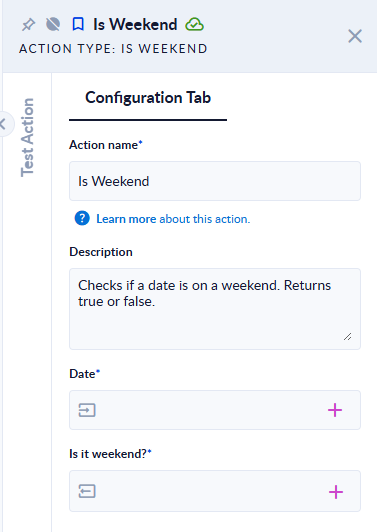
Inputs and outputs
| Field | Direction | Type | Required | What to put / what you get |
|---|---|---|---|---|
| Date | Input | Date and time | Yes | The date to check. |
| Is it weekend? | Output | Boolean (true/false) | Yes | true for Saturday and Sunday, false for Monday to Friday. |
Example
| Date | Is it weekend? |
|---|---|
2026-11-07 (Saturday) | true |
2026-11-08 (Sunday) | true |
2026-11-10 (Tuesday) | false |
Good to know
- The weekend is always Saturday and Sunday. Public holidays are not taken into account.
- An empty Date stops the step with the error
Please provide a non-empty date as input. - Time zone: a date that carries a UTC offset (for example
2024-03-01T00:30:00+02:00) is first converted to UTC, and the result is read from the UTC value. A date without an offset, or ending inZ, is used as it is.