

Median
Returns the middle value of a list of numbers.
The Median action sorts a list of numbers and returns the value in the middle. When the list has an even number of elements, it returns the average of the two middle values. The median is useful when a few very large or very small values would distort an average.
Add the action
In the Process Designer toolbox, open List, then Numeric, and pick Median (or type Median in the search box).
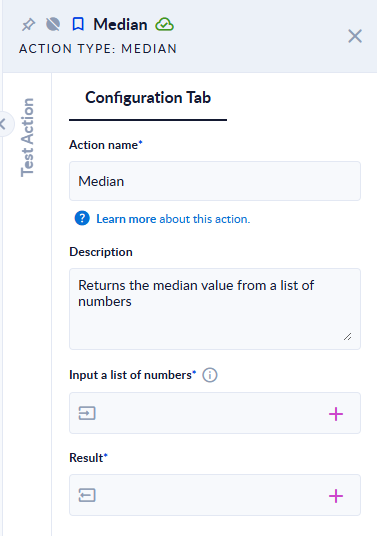
Inputs and outputs
| Field | Direction | Type | Required | What to put / what you get |
|---|---|---|---|---|
| Input a list of numbers | Input | List of numbers | Yes | The numbers, in any order, for example [7,1,3]. |
| Result | Output | Number | Yes | The median value. |
Example
| Input a list of numbers | Result |
|---|---|
[7,1,3] (odd count) | 3 |
[4,1,3,2] (even count: average of 2 and 3) | 2.5 |
[1,2,4,10] (average of 2 and 4) | 3 |
[] (empty list) | The step fails: The input was null. |
[1,"x"] | The step fails: The input list has invalid numerical value |
Good to know
- You do not need to sort the list first; the action sorts a copy. Your input list is not changed.
- The step fails on an empty list, with the message The input was null.
- Numbers stored as text (
"3") are accepted; any other text makes the step fail.
Related actions
- Arithmetic Mean, Sum, Max, Min