

RegEx Validate
Checks whether a text matches a regular expression, and returns true or false.
RegEx Validate checks a text against a regular expression (RegEx) and returns true or false. Use it to validate a format before you continue: an invoice number, a postal code, an email address, an IBAN.
Add the action
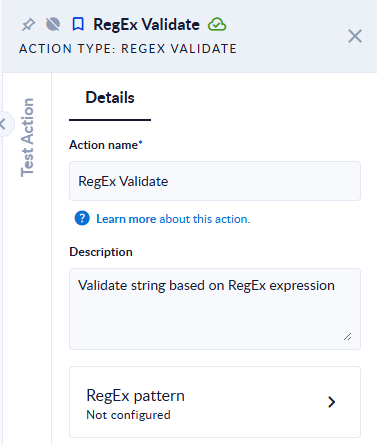
In the Process Designer toolbox, open String, then RegEx, and pick RegEx Validate (or type RegEx Validate in the search box). In the step's properties, click RegEx pattern to open the panel with the fields below.
Inputs and outputs
| Field | Direction | Type | Required | What to put / what you get |
|---|---|---|---|---|
| Value to validate | Input | Text | Yes | The text to check. |
| RegEx expression | Input | Text | Yes | The regular expression, written without delimiters (no /.../). |
| Ignore case | Input | Boolean (true/false) | No | Ticked by default: uppercase and lowercase letters are treated as equal. Untick it for a case-sensitive check, or when your expression uses lookarounds or backreferences (see below). |
| Validation result | Output | Boolean (true/false) | Yes | true if the expression matches the text, otherwise false. |
Example
| Value to validate | RegEx expression | Ignore case | Validation result |
|---|---|---|---|
INV-2024-0042 | ^INV-\d{4}-\d{4}$ | off | true |
inv-2024-0042 | ^INV-\d{4}-\d{4}$ | off | false |
inv-2024-0042 | ^INV-\d{4}-\d{4}$ | on | true |
ref INV-2024-0042 end | INV-\d{4} | off | true |
ana.pop@example.com | ^[\w.+-]+@[\w-]+(\.[\w-]+)+$ | on | true |
abc1 | ^(?=.*\d)[a-z0-9]+$ | off | true |
abc1 | ^(?=.*\d)[a-z0-9]+$ | on | the step fails |
Good to know
- The expression only has to match part of the text.
INV-\d{4}is found insideref INV-2024-0042 end. To check the whole value, start the expression with^and end it with$. - The RegEx syntax is the .NET flavour:
\d,\w,\s,{n,m}, named groups(?<name>...)and inline options such as(?m)all work. - With Ignore case ticked, lookarounds and backreferences are not supported. Expressions with
(?=...),(?!...),(?<=...),(?<!...)or\1fail the step with a message that starts with "RegexOptions.NonBacktracking is not supported in conjunction with expressions containing…". Untick Ignore case for these expressions, and use character classes such as[A-Za-z]if you still need both cases. - An empty value always gives
false, even for an expression such as^$. - An invalid expression fails the step, for example "Invalid pattern '([a-z' at offset 5. Unterminated [] set."