

Similarity Search
Searches a list of text values for the ones most similar to a given text, using a string-similarity algorithm and a minimum score.
The Similarity Search action compares a text with every value in a list and returns the values that are similar enough, best match first. Use it for tolerant lookups: finding a customer name with a typo, matching product names from two systems, or suggesting the closest option.
Add the action
In the Process Designer toolbox, open List and pick Similarity Search (or type Similarity in the search box). Then open the Configuration panel.
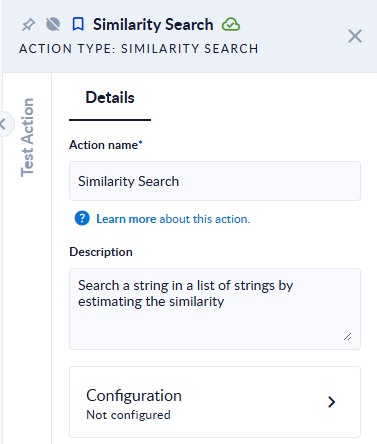
Inputs and outputs
| Field | Direction | Type | Required | What to put / what you get |
|---|---|---|---|---|
| List of strings to search in | Input | List of text | Yes | The candidate values. |
| Similarity algorithm | Input | Option | No | How similarity is measured. Default: SmithWaterman. See the list below. |
| Similarity threshold [0-1] | Input | Decimal number | Yes | The minimum score a value needs to be returned, from 0 (anything) to 1 (identical). Default: 0.85. |
| String to search for | Input | Text | Yes | The text to look for. |
| Limit number of search results | Input | Integer | Yes | The maximum number of values to return. 0 returns all values above the threshold. Default: 100. |
| Output list of search results | Output | List of text | Yes | The matching values, ordered from most to least similar. |
Algorithms
BlockDistance, ChapmanLengthDeviation, ChapmanMeanLength, CosineSimilarity, EuclideanDistance, JaccardSimilarity, DiceSimilarity, Jaro, JaroWinkler, MatchingCoefficient, MongeElkan, Levenstein, NeedlemanWunch, OverlapCoefficient, QGramsDistance, SmithWaterman, SmithWatermanGotoh, SmithWatermanGotohWindowedAffine.
As a rule of thumb, Levenstein counts the edits needed to turn one text into the other (good for typos), JaroWinkler favours texts that start the same (good for names), and the token-based ones (CosineSimilarity, JaccardSimilarity, DiceSimilarity) compare the words the texts share. The same names are used by the Fuzzy match type of Simple Filter, Filter, Find Duplicates and DeDuplicate.
Example
List of strings to search in: ["Jon Smith","John Smith","Jane Smyth","Bob"], String to search for: John Smith.
| Similarity algorithm | Similarity threshold [0-1] | Limit number of search results | Output list of search results |
|---|---|---|---|
| SmithWaterman (default) | 0.85 | 100 | ["John Smith","Jon Smith"] |
| Levenstein | 0.5 | 100 | ["John Smith","Jon Smith","Jane Smyth"] |
| Levenstein | 0.5 | 1 | ["John Smith"] |
| JaroWinkler | 0 | 0 | ["John Smith","Jon Smith","Jane Smyth","Bob"] |
Good to know
- The comparison is case-sensitive: searching
john smithin["JOHN SMITH"]with Levenstein and0.9returns nothing. Convert both sides to the same case first (for example with the String To Lower action) if case should not matter. - An empty list returns an empty result; it does not fail.
- With a threshold of
0every value is returned, so the result is simply the list ranked by similarity.