

Starts With
Checks whether a text starts with another text, and returns true or false.
Starts With checks whether a text begins with a given value, for example whether a document number starts with INV-. It returns true or false, so you can use the result in a decision.
Add the action
In the Process Designer toolbox, open String and pick Starts With (or type Starts With in the search box).
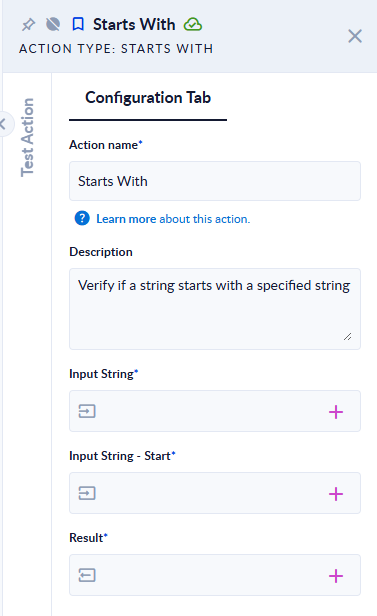
Inputs and outputs
| Field | Direction | Type | Required | What to put / what you get |
|---|---|---|---|---|
| Input String | Input | Text | Yes | The text to check. |
| Input String - Start | Input | Text | Yes | The beginning to look for. |
| Result | Output | Boolean (true/false) | Yes | true if Input String starts with Input String - Start, otherwise false. |
Example
| Input String | Input String - Start | Result |
|---|---|---|
INV-0042 | INV- | true |
inv-0042 | INV- | false |
abc | (empty) | true |
Good to know
- The check is case-sensitive. To ignore case, run both values through To Lower first.
- An empty beginning always gives
true.