

Trim Start
Removes spaces, tabs and line breaks from the start of a text.
Trim Start removes the white space (spaces, tabs, line breaks) at the start of a text. The end of the text and the spaces inside it stay as they are.
Add the action
In the Process Designer toolbox, open String and pick Trim Start (or type Trim Start in the search box).
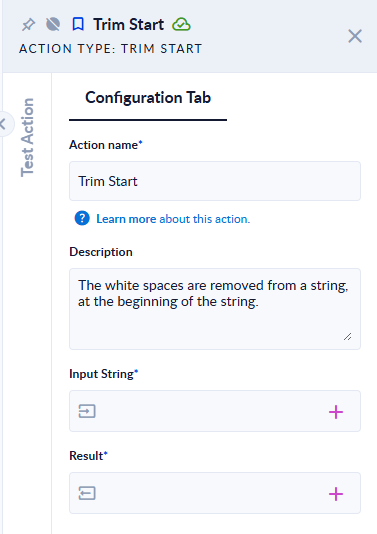
Inputs and outputs
| Field | Direction | Type | Required | What to put / what you get |
|---|---|---|---|---|
| Input String | Input | Text | Yes | The text to clean. |
| Result | Output | Text | Yes | The text without leading white space. |
Example
| Input String | Result |
|---|---|
hello world | hello world (trailing spaces kept) |
two non-breaking spaces + x | x |
Good to know
- White space means spaces, tabs, new lines, carriage returns and other Unicode spaces such as the non-breaking space.