

List Intersection
Returns the items that appear in both of two lists.
List Intersection compares two lists and returns the items they have in common. Use it to find customers present in two systems, products that are both ordered and in stock, or ids that appear in two exports.
Add the action
In the Process Designer toolbox, open Community-Made and pick List Intersection (or type List Intersection in the search box).
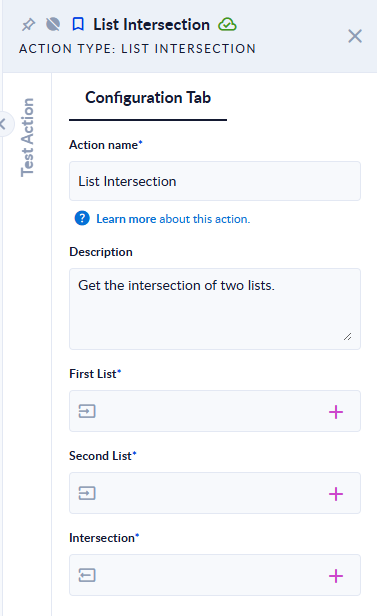
Inputs and outputs
| Field | Direction | Type | Required | What to put / what you get |
|---|---|---|---|---|
| First List | Input | List (any type) | Yes | The first list. Map a list variable. |
| Second List | Input | List (any type) | Yes | The second list. Map a list variable. |
| Intersection | Output | List (any type) | Yes | The items found in both lists, each one once, in the order of First List. |
Example
| First List | Second List | Intersection |
|---|---|---|
[1, 2, 3, 4, 4] | [3, 4, 5] | [3, 4] |
["apple", "Banana", "cherry"] | ["banana", "cherry"] | ["cherry"] |
[1, 2] | [] | [] |
Good to know
- Duplicates are removed:
4appears twice in the first list but once in the result. - Text is compared exactly, case included:
Bananaandbananaare different items. Make both lists the same case first if needed. - An empty list gives an empty result. A list that is not set stops the step with
Input Error: The first list can't be null !(or second).
Related actions
Creator
Franck, The Productivity Lab