

PROCESIO SDK ~ Integrating with PROCESIO
To come to the aid of the community of developers who use PROCESIO in their applications we released a SDK that will help them get started. The…
To come to the aid of the community of developers who use PROCESIO in their applications we released a SDK that will help them get started. The PROCESIO SDK makes it easier to interact with the PROCESIO API from your application.
Depending on the technology you are using we provided two ways for accessing your processes:
The PROCESIO SDK allows through the use of its methods to control the platform from inside your application. The methods made available at the time of writing this article allow you to authenticate and create a token, run your process and upload a file.
You can use the Github repository or install procesio-sdk-dotnet via NuGet Package Manager. If you want to use the NuGet just search for "ProcesioSDK" or run the following command in the NuGet Package Manager console:
PM> Install-Package ProcesioSDK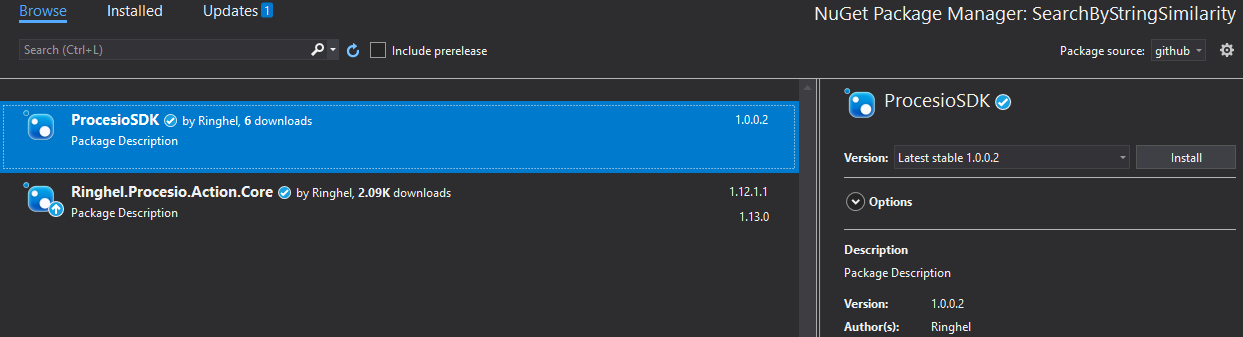
Run a process using the API key
{
  "tab": "examples",
  "url": "https://webApi.procesio.app/api/Projects/xxxxxxxx-xxxx-xxxx-xxxx-xxxxxxxxxx/run",
  "name": "Run process",
  "method": "POST",
  "request": {
    "pathParameters": [],
    "queryParameters": [],
    "headerParameters": [
      {
        "kind": "required",
        "name": "key",
        "type": "string",
        "description": "xxxxxxxx"
      },
      {
        "kind": "required",
        "name": "value",
        "type": "string",
        "description": "xxxxxxxxxxxxxxxxxxxxxxxxxxxxxx"
      },
      {
        "kind": "required",
        "name": "workspace",
        "type": "string",
        "description": "Demo"
      }
    ],
    "bodyDataParameters": [],
    "formDataParameters": []
  },
  "results": {
    "languages": [
      {
        "id": "DFsQZZY2RUBzFLPmZor88",
        "code": "{\n    \"instanceId\": \"556ddca3-5506-4fb9-a352-XXXXXXX\"\n}",
        "language": "200"
      },
      {
        "id": "TdtDHmPv7jvoAvS3PcCks",
        "code": "[\n    {\n        \"statusCode\": 501,\n        \"value\": \"Unauthorized user.\",\n        \"target\": \"Invalid api_key_name or workspace\"\n    },\n    {\n        \"statusCode\": 450,\n        \"value\": \"Database requested information not found.\",\n        \"target\": \"user\"\n    }\n]",
        "language": "400"
      }
    ],
    "selectedLanguageId": "DFsQZZY2RUBzFLPmZor88"
  },
  "examples": {
    "languages": [
      {
        "id": "jzA8hRzVfcWQgXoKtDSyx",
        "code": "const sdkInstance = new ProcesioSDK();\n\nawait sdkInstance.authenticate('username', 'password');\n\nconst runReq = await sdkInstance.runProcess('xxxxxxxx-xxxx-xxxx-xxxx-xxxxxxxxxx', {to: \"someemail@domain.com\", subject: \"Process launched via SDK\"})\n\nconsole.log(runReq.content?.instanceId?.id); // \"xxxxxxxx-xxxx-xxxx-xxxx-xxxxxxxxxx\"",
        "language": "javascript"
      }
    ],
    "selectedLanguageId": "jzA8hRzVfcWQgXoKtDSyx"
  },
  "description": "Run specific proce",
  "currentNewParameter": {
    "label": "Header Parameter",
    "value": "headerParameters"
  }
}
You will also need to provide the following body:
{"connectionId": "string"}