

Using the Document Designer to send customized emails.
The Document Designer is one of the coolest PROCESIO features to date. It allows creating custom document templates and parametrizing them with…
The Document Designer is one of the coolest PROCESIO features to date. It allows creating custom document templates and parametrizing them with Process Variables.
Scenario:
Let's say you work for the sales department of a company. Your company will have a huge sale on Black Friday and you'd like to send emails to a few potential customers to inform them about the sale. You have a list of names, emails and PROCESIO at your disposal so, how do you do it?
We'll start by first building the template for the email and then the process that will send emails.
Building the document template
- Let's go to the Document Designer and create a new Document Template.
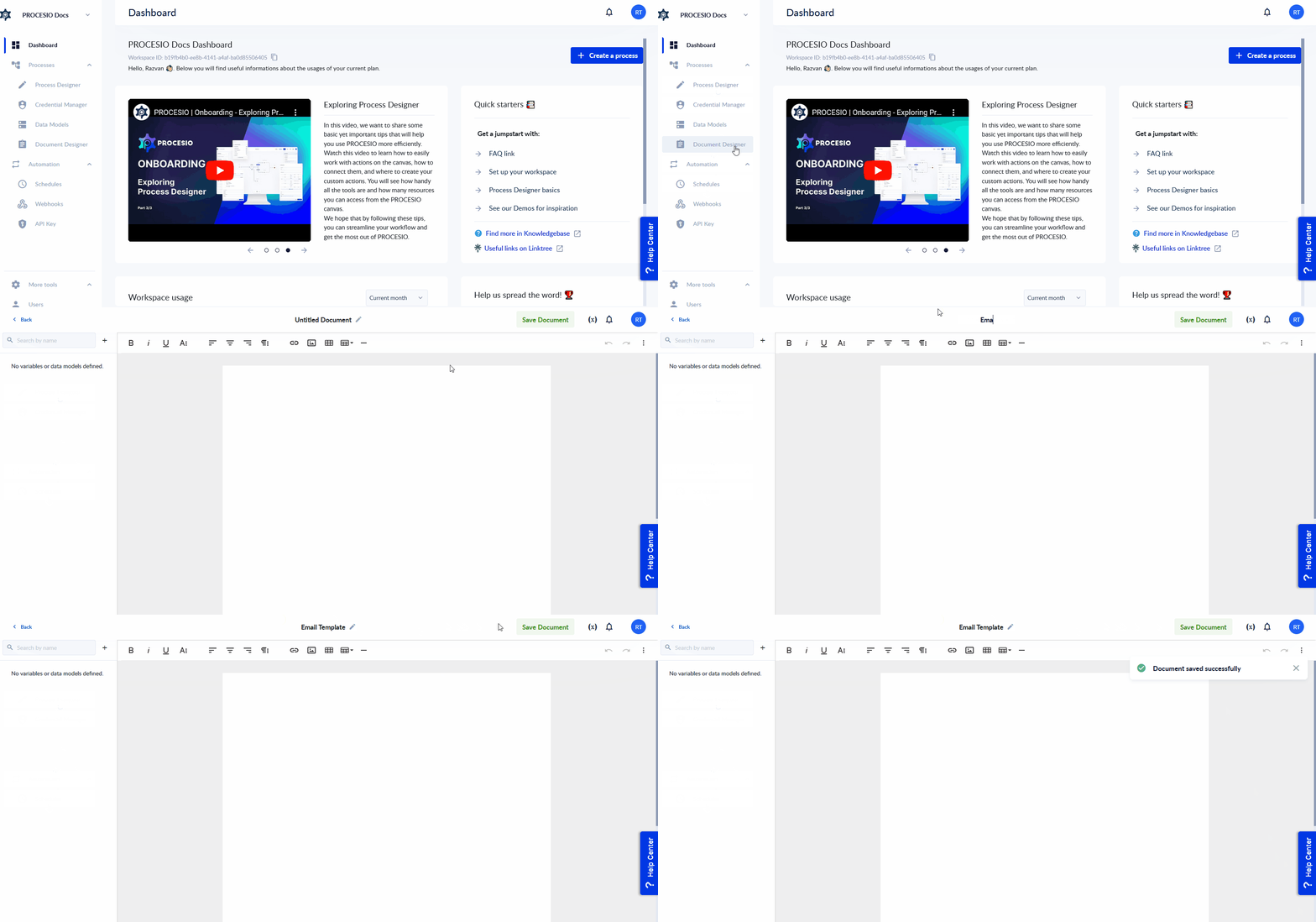
- We've already set up some HTML to use as background so we'll add it from the Code View.
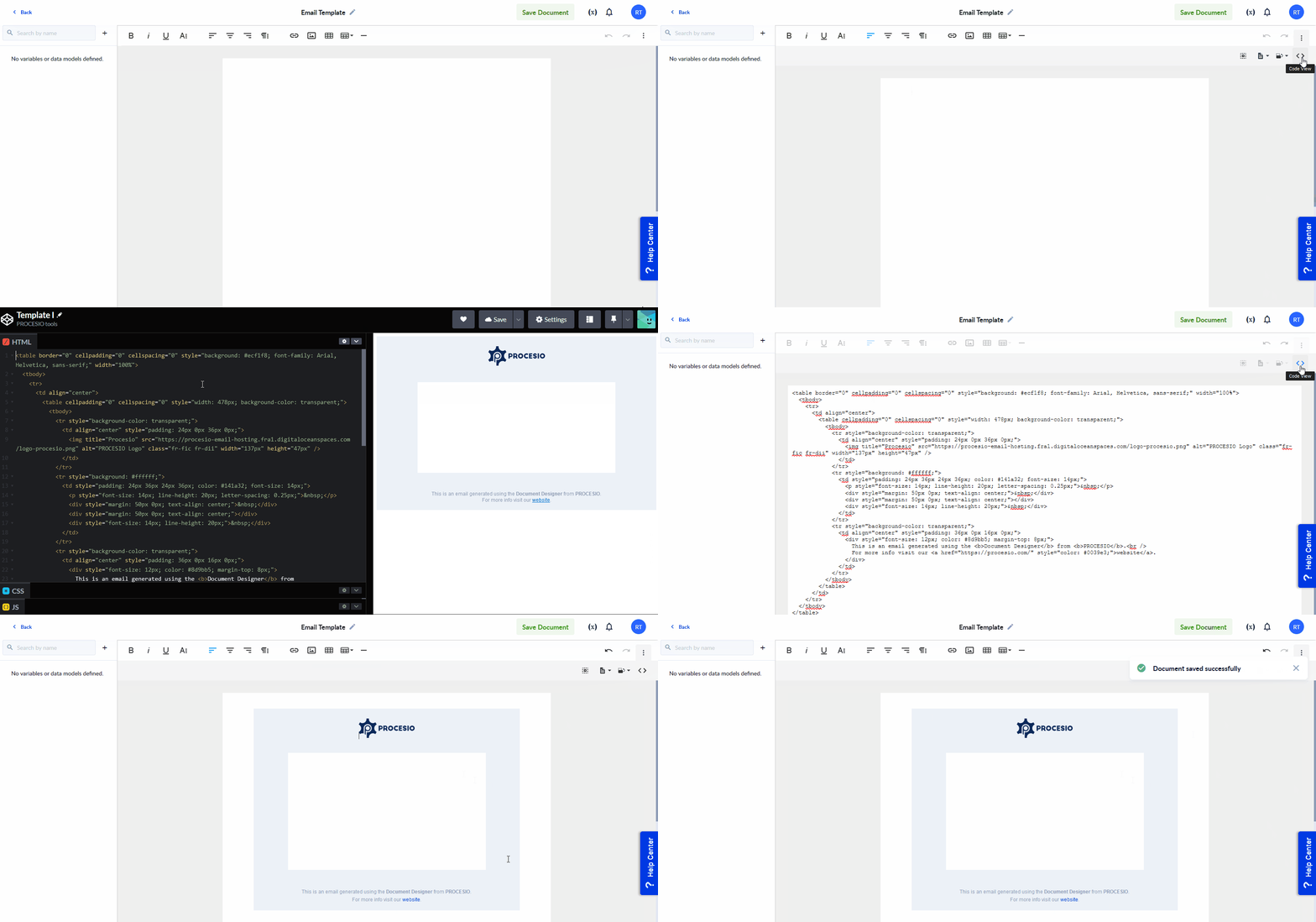
We'll define two variables that will be used in our template:
- Name ➜ String as a placeholder for the customer's name.
- SaleDate ➜ String as a placeholder for the date of the sale written in a custom format.
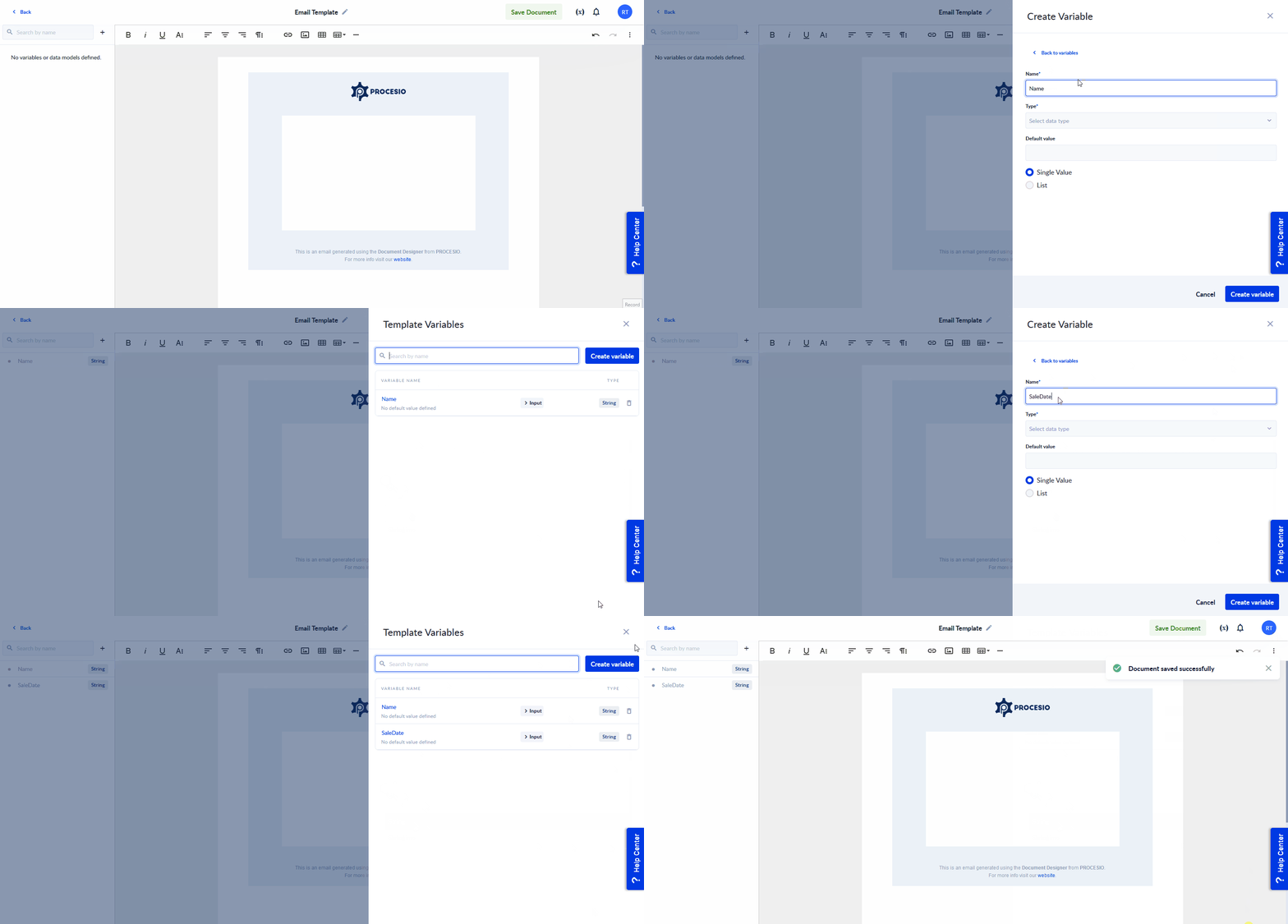
- Now, it's time to fill in the actual content of the email.
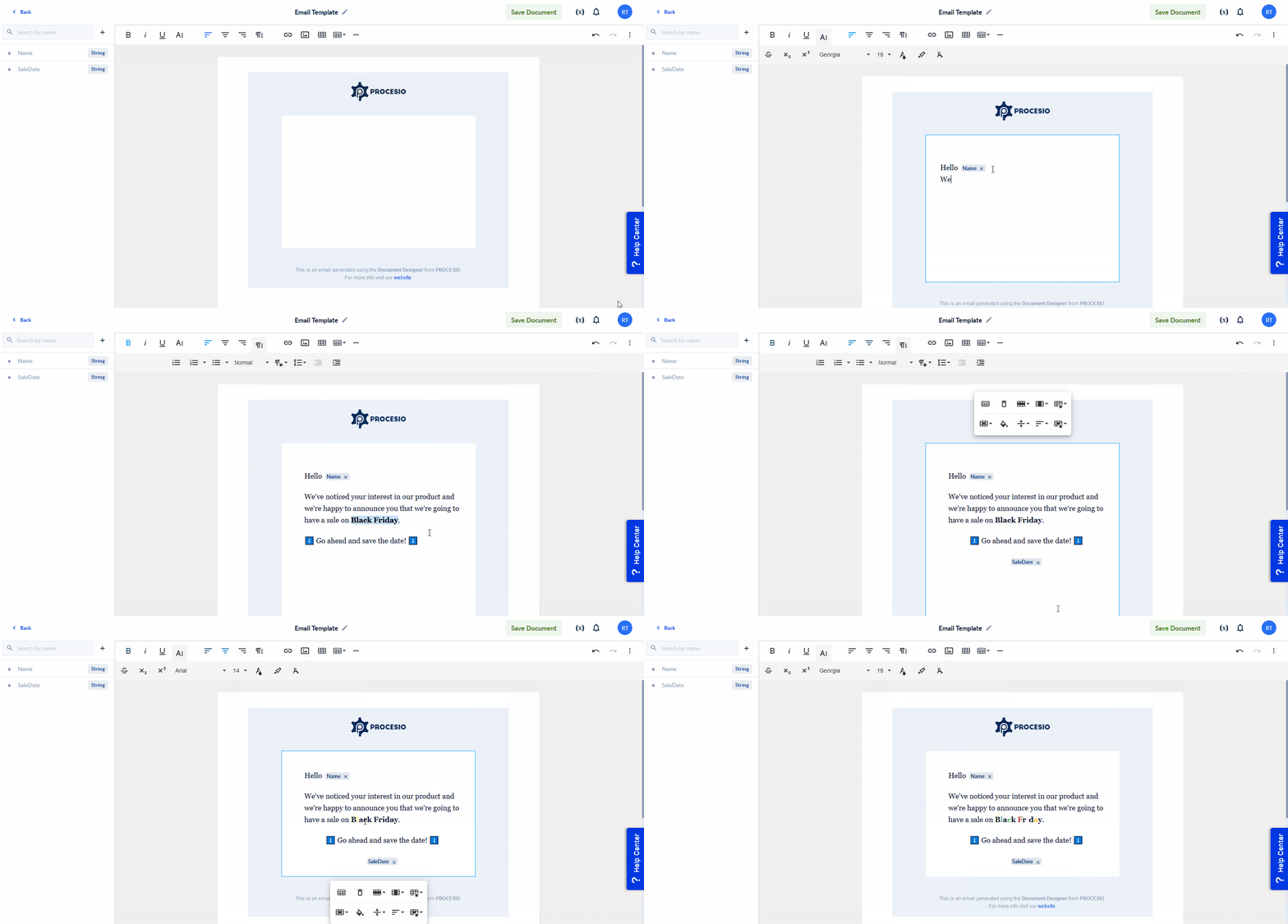
The document template is now ready to be used in our process.
Building the process
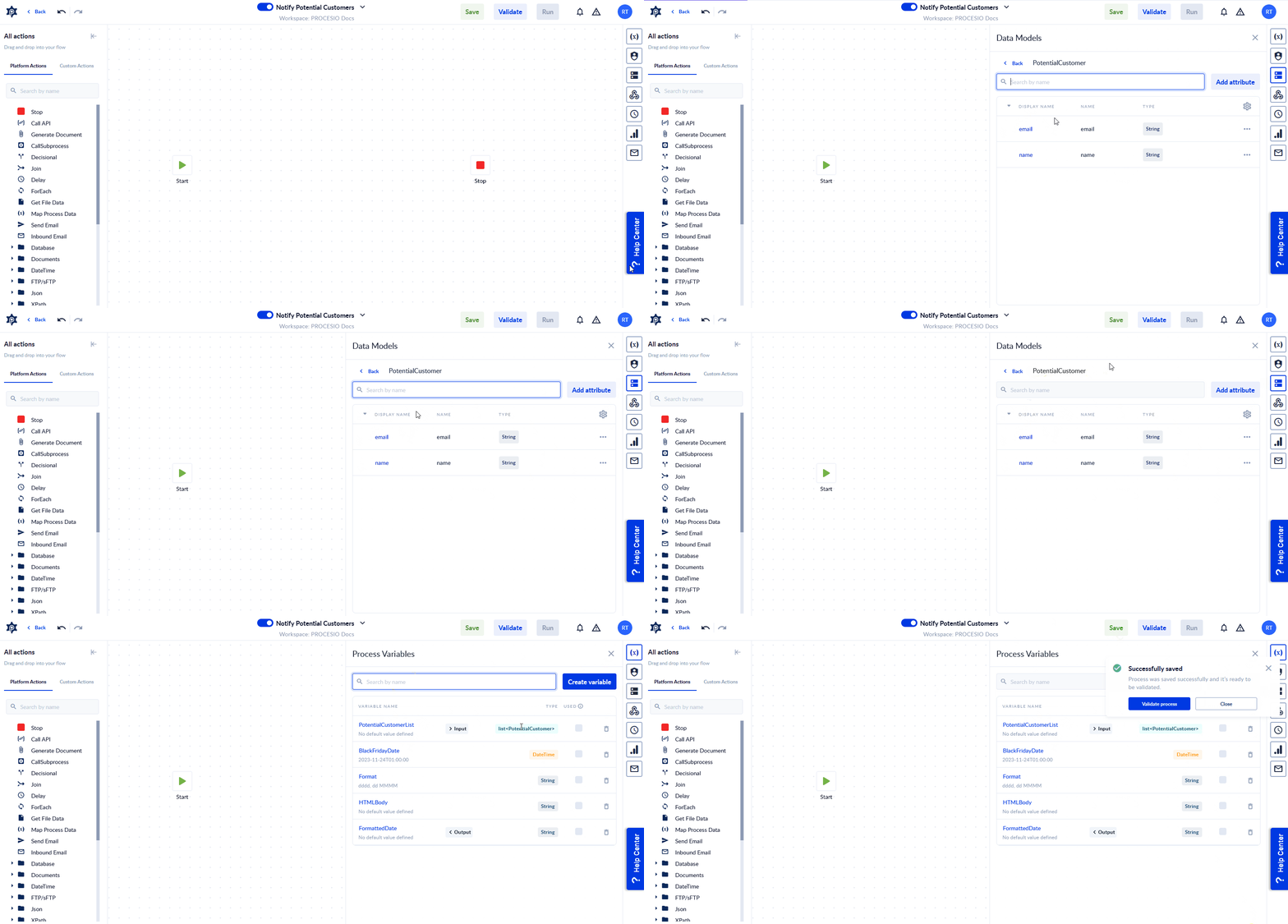
First we define some variables:
- PotentialCustomerList ➜ List<PotentialCustomer> where PotentialCustomer is a DM with
- name ➜ String representing the potential customer name.
- email ➜ String representing the potential customer email address.
- BlackFridayDate ➜ DateTime variable with
24 November 2023as default value. - Format ➜ String variable with
dddd, dd MMMMas default value. - FormattedDate ➜ String value containing BlackFridayDate in Format.
- HTMLBody ➜ String containing the email body generated using the document template.
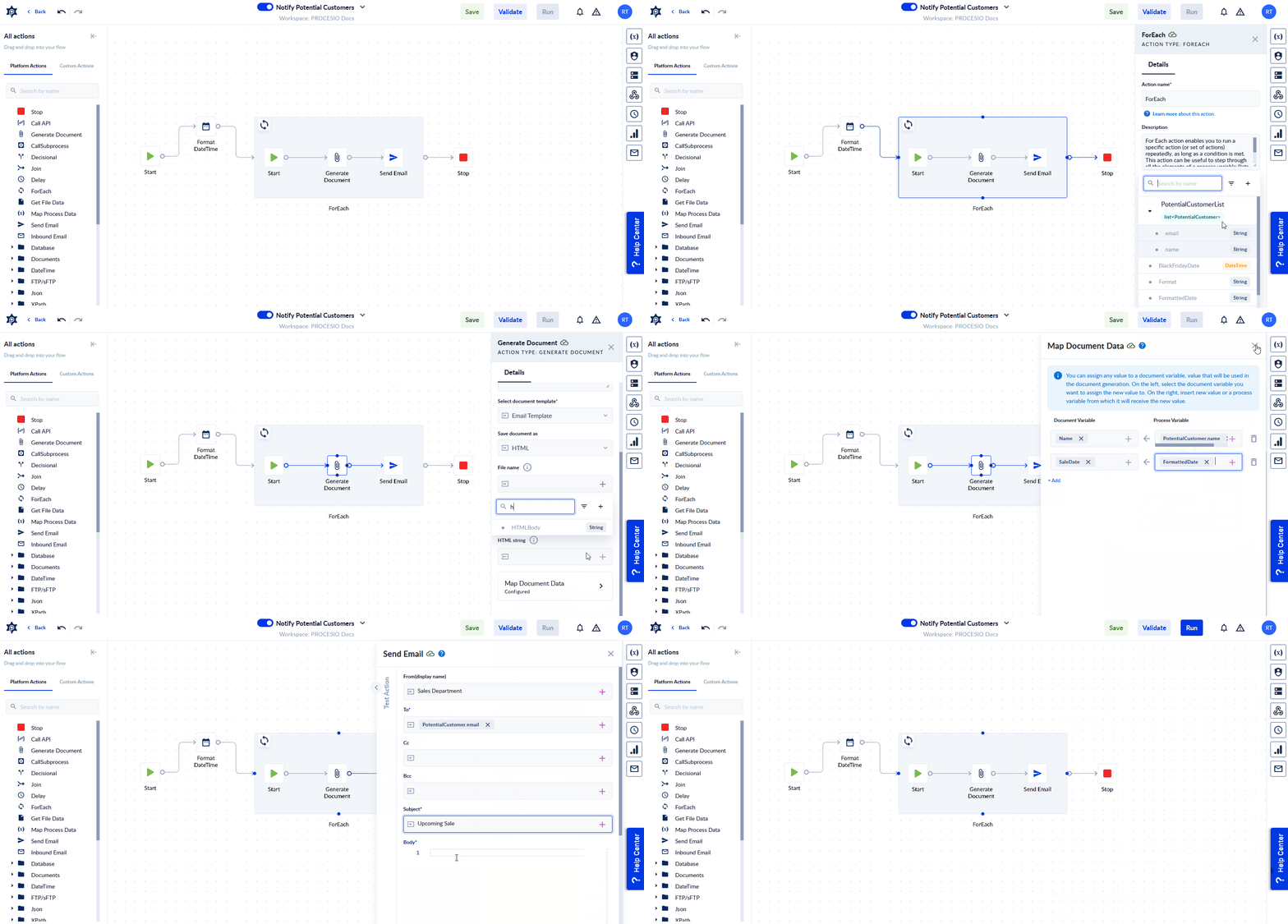
Then we build the actual flow:
- We format the Black Friday date using Format DateTime.
- We go over each potential customer in our list using For Each.
- We generate an email body for each customer using Generate Document.
- We send the generated HTML body in an email to each customer with Send Email.
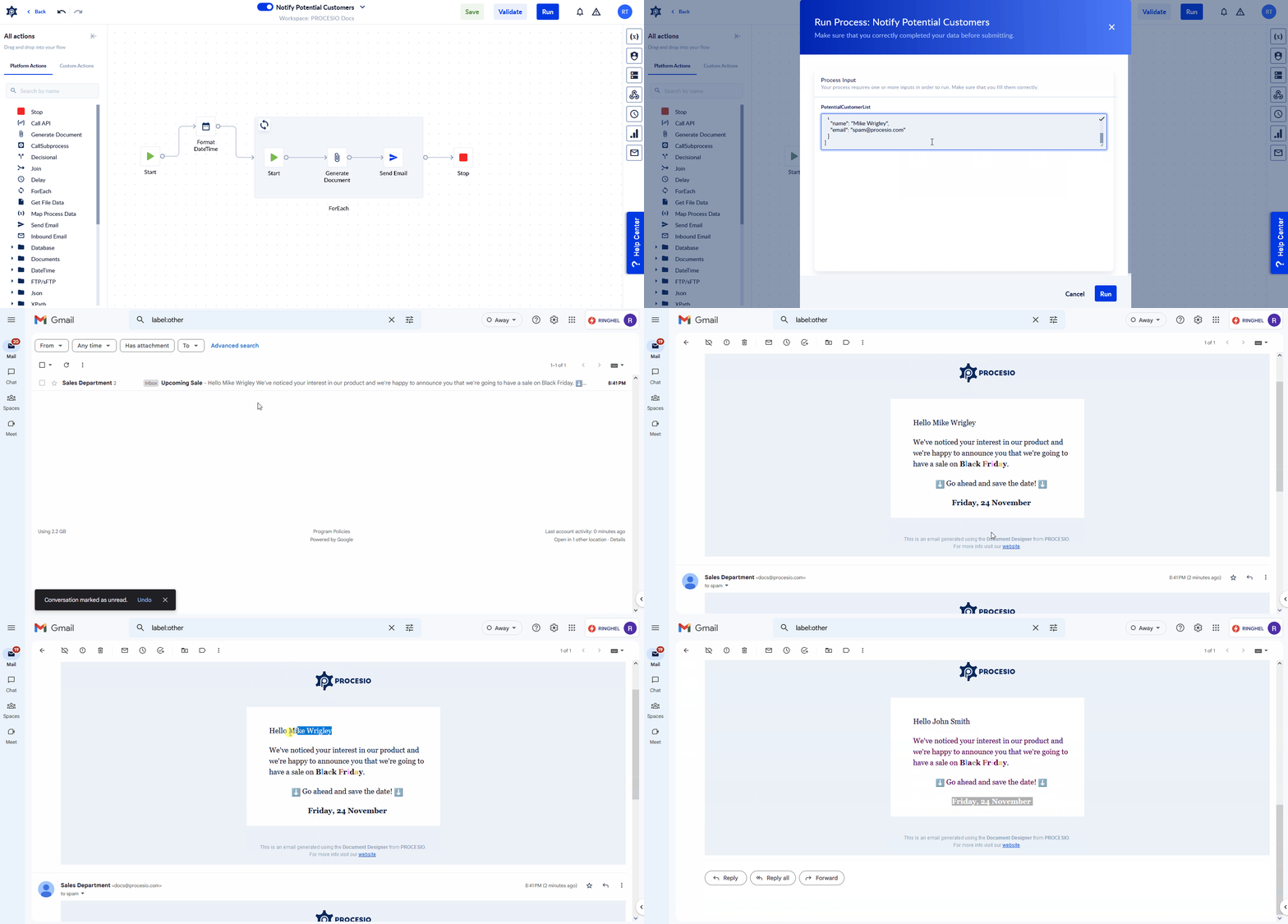
Time to run
Action Pool
Google Forms & PROCESIO
Integrating Google Forms with PROCESIO is a very straightforward task and can help you implement various use cases such as launching online surveys,…
Audio to Text using OpenAI's Whisper
Integrating OpenAI models with PROCESIO is something anyone can do due to the simplicity of using the Call API action. If you don't believe us, we're…