

URL Decode
Turns a URL-encoded text (with %20, %26 and similar codes) back into plain text.
URL Decode turns a URL-encoded text back into plain text: %20 becomes a space, %26 becomes &, %C8%99 becomes ș, and so on. Use it to read values that arrive encoded, for example query parameters from a webhook or a redirect URL.
Add the action
In the Process Designer toolbox, open String, then URLs, and pick URL Decode (or type URL Decode in the search box).
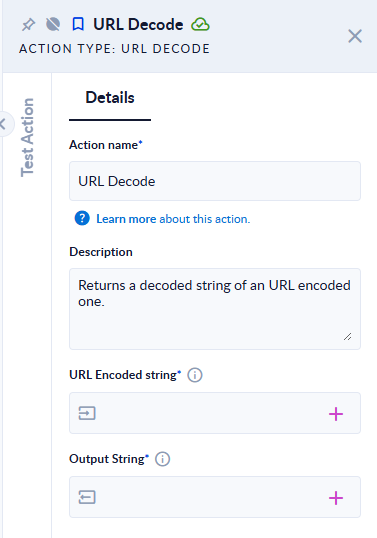
Inputs and outputs
| Field | Direction | Type | Required | What to put / what you get |
|---|---|---|---|---|
| URL Encoded string | Input | Text | Yes | The encoded text. It cannot be empty. |
| Output String | Output | Text | Yes | The decoded text. |
Example
| URL Encoded string | Output String |
|---|---|
name%3DAna%20Pop%26city%3DBucure%C8%99ti%2FSector%201%3F | name=Ana Pop&city=București/Sector 1? |
a+b%20c | a+b c |
100% | 100% |
Good to know
- A
+stays a+. Web forms often send spaces as+; if your value comes from a form, replace+with a space first using Replace. - A
%that is not followed by a valid code is left as it is; the step does not fail. - An empty input fails the step with the message "Exception has been thrown by the target of an invocation."