

URL Encode
Encodes a text so it can be used safely inside a URL, for example as a query parameter value.
URL Encode converts a text into a form that is safe to put inside a URL: spaces, &, =, /, ?, letters with diacritics and other special characters are replaced by % codes. Use it before you add a value to a query string or a path in Call API, so that a value such as Ana & Co does not break the URL.
Add the action
In the Process Designer toolbox, open String, then URLs, and pick URL Encode (or type URL Encode in the search box).
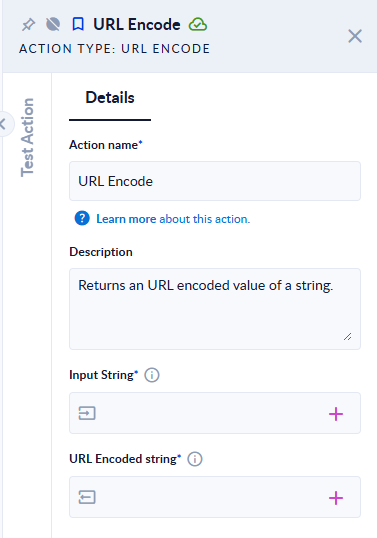
Inputs and outputs
| Field | Direction | Type | Required | What to put / what you get |
|---|---|---|---|---|
| Input String | Input | Text | Yes | The text to encode. It cannot be empty. |
| URL Encoded string | Output | Text | Yes | The encoded text. |
Example
| Input String | URL Encoded string |
|---|---|
Ana & Co | Ana%20%26%20Co |
name=Ana Pop&city=București/Sector 1? | name%3DAna%20Pop%26city%3DBucure%C8%99ti%2FSector%201%3F |
https://example.com/a?b=1 | https%3A%2F%2Fexample.com%2Fa%3Fb%3D1 |
a-_.~b | a-_.~b |
Good to know
- Encode values, not whole URLs. Every
/,?,&,=and:is encoded, so encodinghttps://example.com/a?b=1gives a text that no longer works as a link. Encode each value, then build the URL around it. - A space becomes
%20(not+). Letters with diacritics become their UTF-8 bytes, for exampleș→%C8%99. - Letters, digits and
-,_,.,~are not changed. - An empty input fails the step with the message "Exception has been thrown by the target of an invocation." Check optional values with Null Or Empty first.