

SendSMS
With Procesio you can administrate your SendSMS marketing account and campaigns in a no-code environment where your marketing department can…
With Procesio you can administrate your SendSMS marketing account and campaigns in a no-code environment where your marketing department can implement new flows specific to your company and business logic.
We are assuming that you already signup on Procesio and SendSMS. If not then first make an account and activate them.
You can use the Credential Manager to configure the authentication credentials of the SendSMS REST API by following the following steps:
SendSMS
1. Connect to your SendSMS account.
2. From the menu select Account select Api keys and copy your api key.
Procesio
1. Navigate to the Credential Manager section.
2. Select the Add New button from the upper right corner.
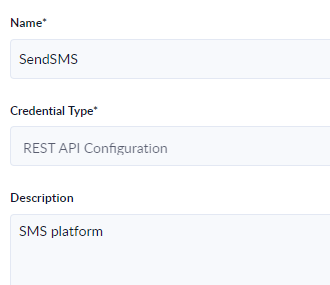
3. Give a Name to the newly created connection, select the Rest API Configuration from the Credential Type dropdown and optionally add the Description.
4. Select the Next step button.
5. Enter the sendSMS API connection data as shown in the screenshot with the mention that in the Value field you will need to enter your sendSMS api key and username.
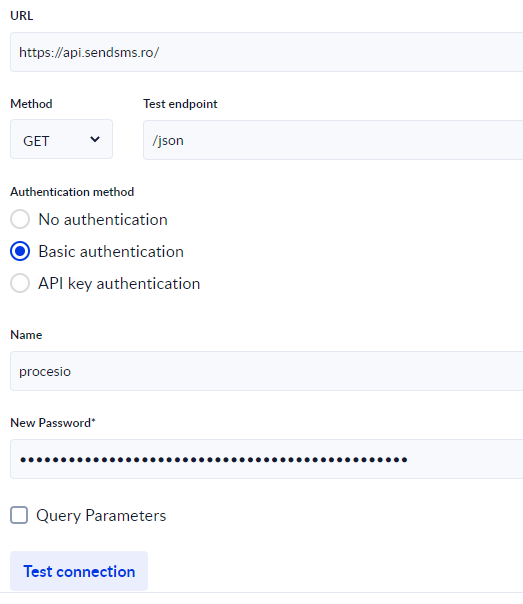
6. When you click the Test connection button Procesio will test the connection and give the Successfully tested! message.
7. Save the connection.
8. Create a process using your newly created credential.
9. After creating the flow using the drag and drop functionality you can give the Call Api Action a name, description and from the Select Api Configuration dropdown select the connection created at step 7.
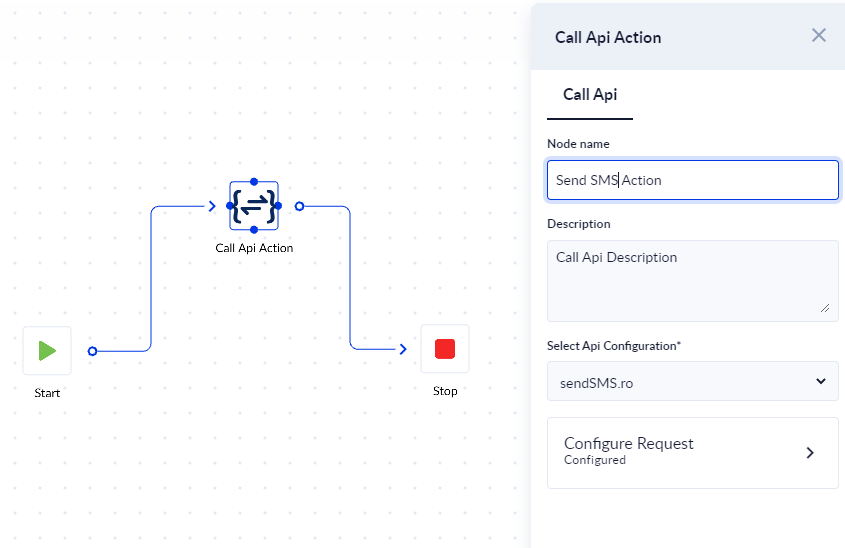
10. Click Configure Request button.
11. To send a sms message we will use the Get verb with the /json endpoint and according to the SendSMS API documentation the action, text, to and from parameters. For the dynamic content we will use input process variables for the message and phone number and one output variable to check the output status.
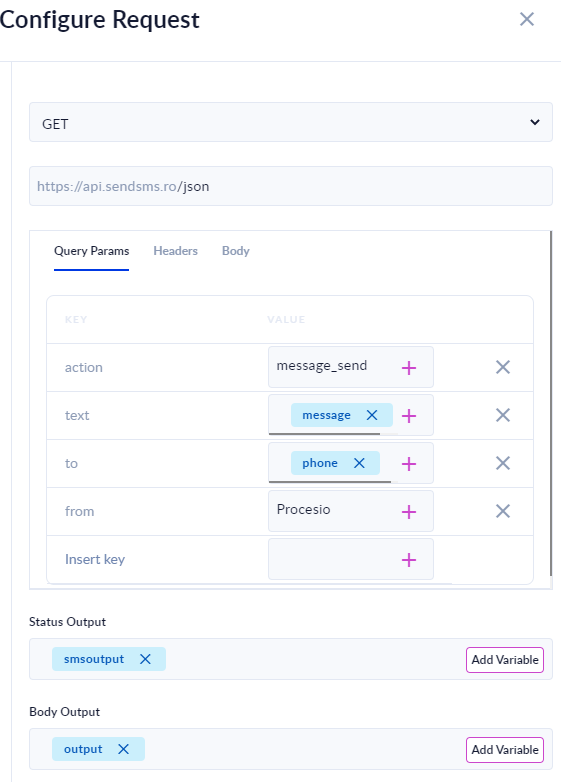
12. Save, Validate and Run the process.