

SmartSheet
Smartsheet is a work execution platform that empowers organizations to plan, track, automate, and report on work. It is an online spreadsheet app…
Smartsheet is a work execution platform that empowers organizations to plan, track, automate, and report on work. It is an online spreadsheet app that lets you create and format spreadsheets and work with other people.
SmartSheet configuration
1. Navigate to your SmartSheet account.
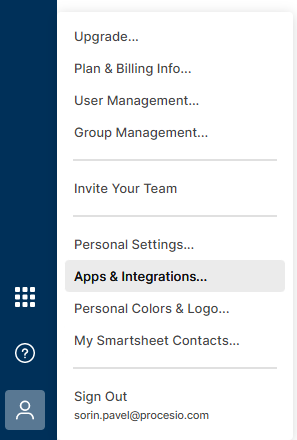
2. Click Apps & Integrations from the Account button, located in the bottom left side.
3. From the Personal Settings select the section API Access an click Create new access token.
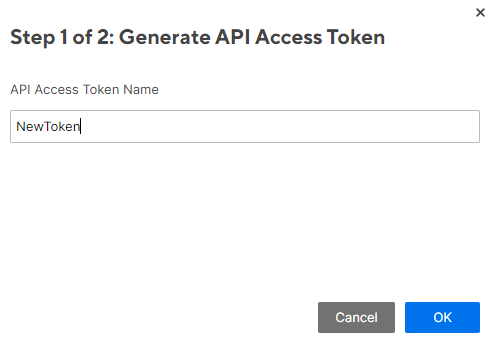
4. Give the token a name and click OK.
5. The token that you will receive will be displayed only once.
Create the credential
1. Navigate to the Credentials Manager section.
2. Select the Add New button from the upper right corner.
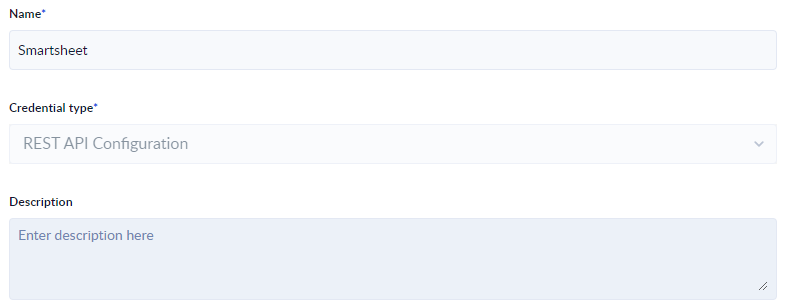
3. Give a Name to the newly created connection, select Rest Api Configuration from the Credential Type dropdown and optionally add the Description.
3. Add the connection data like in the screen using the password you generated in your smartsheet account.
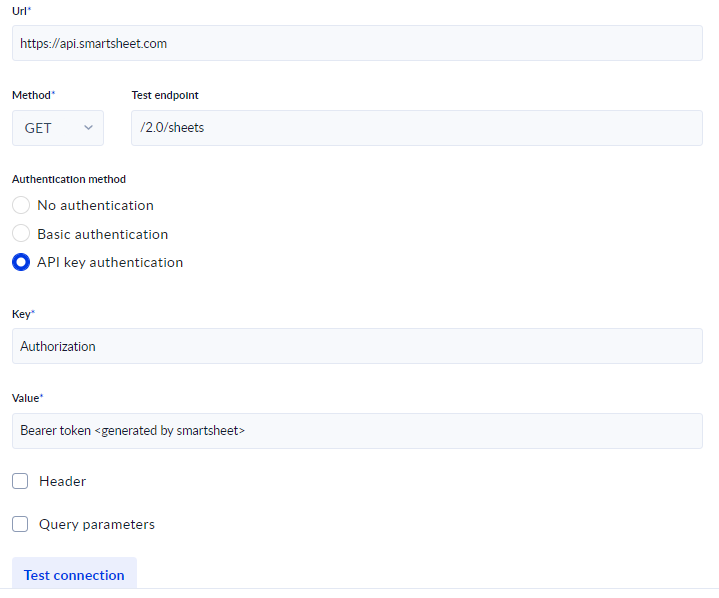
4. Test and Save the connection.
Create and configure the process
1. Select the Rest API credential you just created.
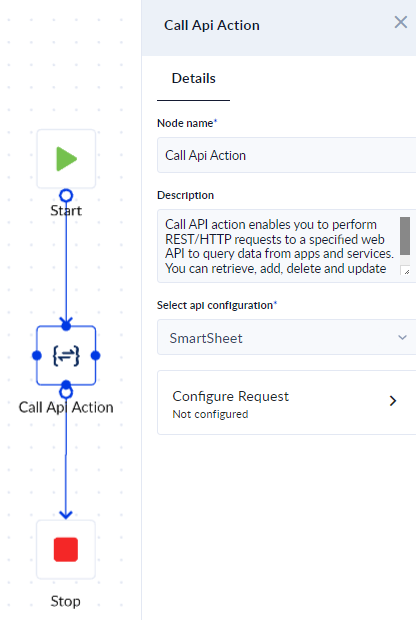
2. Add the Rest API configurations like in the screenshot:
Use the smartsheet api documentation to find the endpoint you wish to use and the configurations needed.
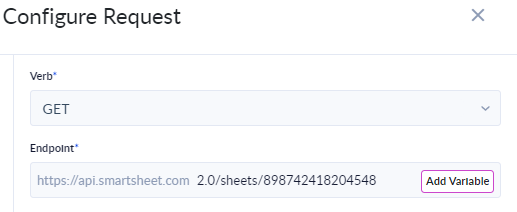
The above call reads a sheet, the number at the end is the sheet ID.
Yahoo
Yahoo is one of the most well known email services out there and the SMTP service they offer for free can be easily used in conjunction with your…
Microsoft Outlook
Microsoft Outlook is a well known email service used by professionals. The SMTP service it offers for free can be easily used in conjunction with…