

Trigger JavaScript
You can run your script and interact with Form variables using JavaScript.
Overview
You can run your script and interact with Form variables using JavaScript.
📄 Form Variable
The Form Variable Object ProcesioForm describes a form, its related flow, instance, variables and all configured fields.
{ "data": { ... }, "variables": { ... } }
- data – Contains information about the current form fields, instance, flow and form attributes.
- variables – Holds additional variables related to the form (e.g., uploaded files).
ProcesioForm.data.fields
Defines all form elements. Each field has configuration such as label, visibility, type, and value, etc.
Check corresponding element's page for documentation:
- Fields
- [Text Input](<../spaces/SPACES/Overview/Text Input.md#om2kw>)
- [Number Input](<../spaces/SPACES/Overview/Number Input.md>)
- [Date-time Input](<../spaces/SPACES/Overview/Date-time Input.md>)
- Textarea
- [Select Input](<../spaces/SPACES/Overview/Select Input.md>)
- Checkbox
- [Radio Button](<../spaces/SPACES/Overview/Radio Button.md>)
- Button
- Dropdown
- [File Upload](<../spaces/SPACES/Overview/File Upload.md>)
- [Signature Pad](<../spaces/SPACES/Overview/Signature Pad.md>)
- Approval
- [Dynamic Assignee across forms](<../spaces/SPACES/Overview/Dynamic Assignee across forms.md>)
- Structure
- Table
- [Data Table](<../spaces/SPACES/Overview/Data Table.md>)
- [Static Table Row](<../spaces/SPACES/Overview/Static Table Row.md>)
- [Dynamic Table Row](<../spaces/SPACES/Overview/Dynamic Table Row.md>)
ProcesioForm.data
Form data and attributes.
| Name | Description | Type |
|---|---|---|
instance | Form instance (check details below). | |
flow | Form flow execution (check details below). | |
variables | Extra form variables (check details below). |
ProcesioForm.data.instance
Information about the form instance and users.
| Name | Description | Type |
|---|---|---|
id | Unique identifier of the form instance. | String |
workspaceId | Workspace ID where the instance belongs (if any). | String | null |
submitter | Info about the user who submitted the form. | Object |
submitter.id | Submitter user's unique ID. | String | null |
submitter.name | Submitter’s name. | String | null |
submitter.email | Submitter’s email. | String | null |
currentUser | Info about the currently logged-in user. | Object |
currentUser.id | Current user’s unique ID. | String | null |
currentUser.name | Current user’s name. | String | null |
currentUser.email | Current user’s email. | String | null |
ProcesioForm.data.flow
Information about the flow execution connected to this form.
| Name | Description | Type | Values |
|---|---|---|---|
id | Flow ID. | String | null | |
startDate | When the flow started. | String | null | |
endDate | When the flow ended. | String | null | |
status | Current flow status. | String | null | in-progress, completed, approved, rejected |
statusEnum | Possible status values (enum). | Object |
ProcesioForm.variables
Holds extra variables created on the form.
Getting started
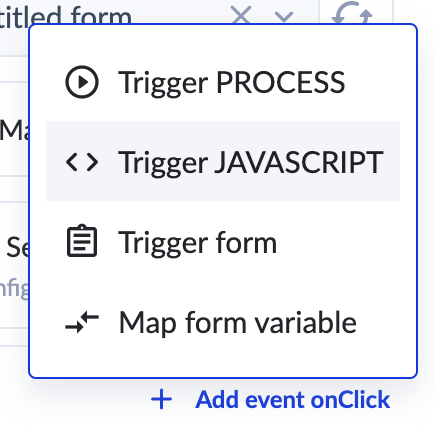
- Choose Trigger JavaScript event
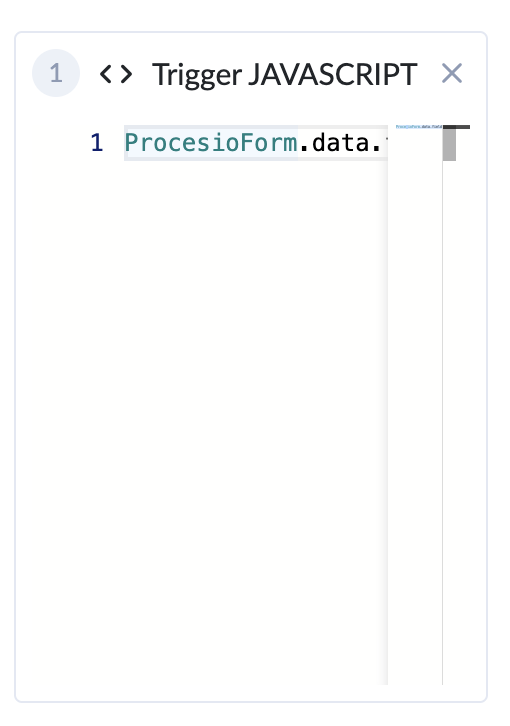
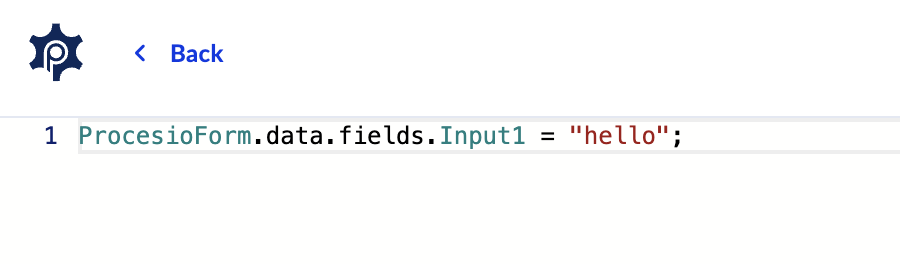
- Write your script in the editor (you can enlarge the editor pressing Esc button)
Example
This script allows to access to form data. Example of usage:
1. Get field value const value = ProcesioForm.data.fields.input1.value;
2. Set field value ProcesioForm.data.fields.input1.value = "value";
3. Set field readonly state ProcesioForm.data.fields.input1.readonly = true;
where input1 is element name.
4. Get form variable value const value = ProcesioForm.variables.var1;
5. Set form variable value ProcesioForm.variables.var1 = "value"
where var1 is form variable name.
Troubleshooting
If you encounter issues with your form events:
- Check browser console for error messages and details.
- Verify JavaScript and form variables syntax.
For support, please join our Discord community for further assistance and support.
Trigger process
You can trigger processes from your forms using events. These events can be configured to run synchronously, and they can also involve data mapping…
Trigger form
This event allows you to submit another form automatically as part of a workflow. This is useful when you want to chain forms together or pass…