

Trigger process
You can trigger processes from your forms using events. These events can be configured to run synchronously, and they can also involve data mapping…
Overview
You can trigger processes from your forms using events. These events can be configured to run synchronously, and they can also involve data mapping between form fields and process variables.
Getting started
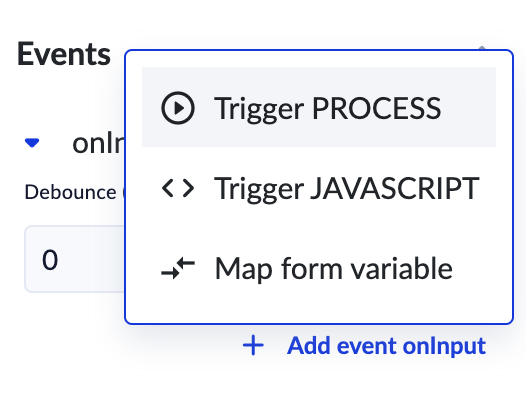
- Choose Trigger Process event
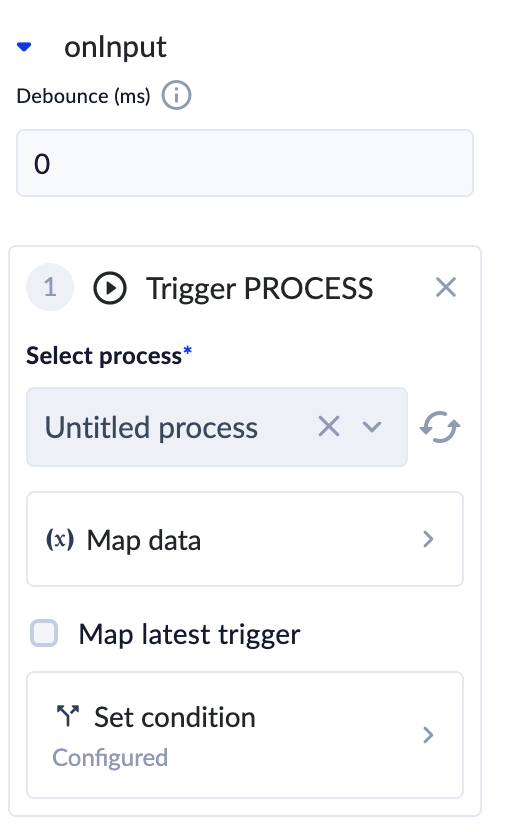
- Select a process to trigger
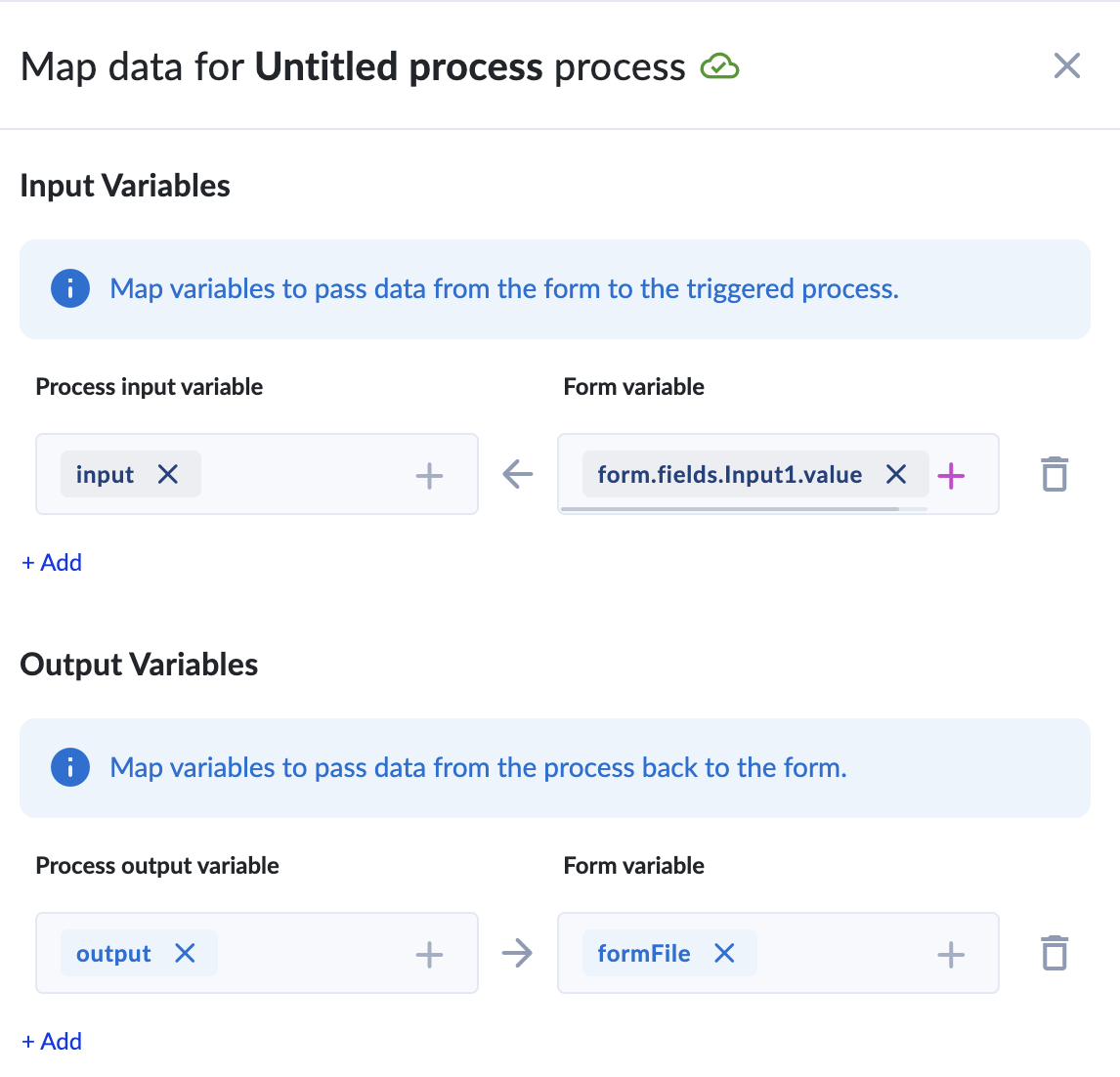
- Configure in Map Data (similar to mapping subproceses /docs/platform-actions/call-api/call-subprocess)
- Configure Map Latest Trigger
ℹ️ About Map Latest Trigger
When you enable Map latest trigger, the system will always take the most recent result from your process and use it in the form.
Why? Sometimes the same process can run more than once at the same time. One run might finish later than another, even if it started earlier. If we allowed older results to overwrite new ones, your form could show outdated information.
By mapping only the latest trigger, we make sure your form always works with the freshest, most up-to-date result.
Troubleshooting
If you encounter issues with your form events:
- Check the event logs for error messages and details, check run process instance.
- Verify the data mapping configurations.
- Ensure that the associated processes are correctly configured and accessible.
For support, please join our Discord community for further assistance and support.