

Rename a workspace
Rename a workspace or a master workspace from its Dashboard, who can do it, and the rules a workspace name must follow.
You can rename a workspace from its Dashboard. Owners and co-owners can also rename the master workspace of an enterprise account.
Rename a workspace
- Switch to the workspace you want to rename and open its Dashboard.
- Click the pencil next to the title "<workspace name> Dashboard". Its tooltip reads Rename workspace.

- In the Rename workspace dialog, type the new Workspace name and click Save (or press Enter).
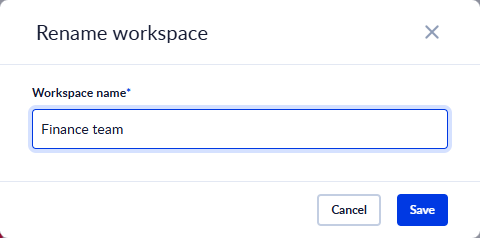
The new name shows right away on the Dashboard and in the workspace switch. Only the name changes: the Workspace ID stays the same, so everything in the workspace keeps working as before.
You can still rename a workspace from the master workspace too: Workspaces → Edit on the workspace's row → General → Workspace name.
Rename a master workspace
Open the master workspace, then either:
- click the pencil next to the title on its Dashboard, or
- open Workspaces in the left menu and click the pencil next to Master workspace: at the top of the Workspace Management page.
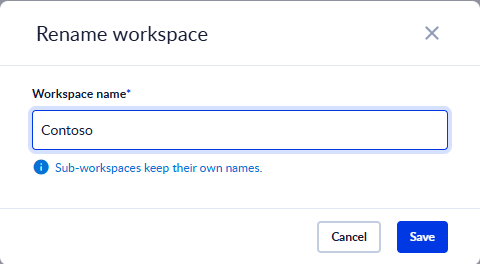
Renaming the master workspace does not rename the workspaces inside it: "Sub-workspaces keep their own names."
Who can rename
| Workspace | Who can rename it |
|---|---|
| A workspace inside a master workspace | Users with the Update permission on the master workspace: by default the Owner and Co-Owners. |
| The master workspace | The Owner and Co-Owners only. |
| Your personal workspace | It can't be renamed. |
If you don't see the pencil, you don't have the permission. See User Permissions and Roles Management.
Name rules
These rules apply when you rename a workspace and when you create one.
| Rule | Message |
|---|---|
| The name can't be empty or only spaces. Spaces at the start and end are removed. | This field is required. |
The name can't contain /. | Error: character "/" is not accepted |
| At most 100 characters. | The field stops at 100 characters. |
Two workspaces in the same master workspace can't have the same name. The check ignores letter case, so Finance and finance count as the same. The name of a deleted workspace can be used again. | Error: an entity with the same name already exists |
A master workspace can't be named Procesio or ProcesioInternal, in any letter case. | Error: this name is reserved |
If the rename doesn't go through, the dialog shows "The workspace could not be renamed. Please try again.", or "You are not allowed to rename this workspace." when you don't have the permission. The old name is kept.
How to create a workspace in a master-workspace?
A master workspace is created for administration purposes of an enterprise account.&x20;
Two-factor authentication
Turn on two-factor authentication (2FA) for your account, require it for everyone in a master workspace, and what users see when a workspace requires it.