

Sort Data Model
The Sort Data Model action sorts a data model list based on multiple criteria.
Overview
The Sort Data Model action sorts a data model list based on multiple criteria.
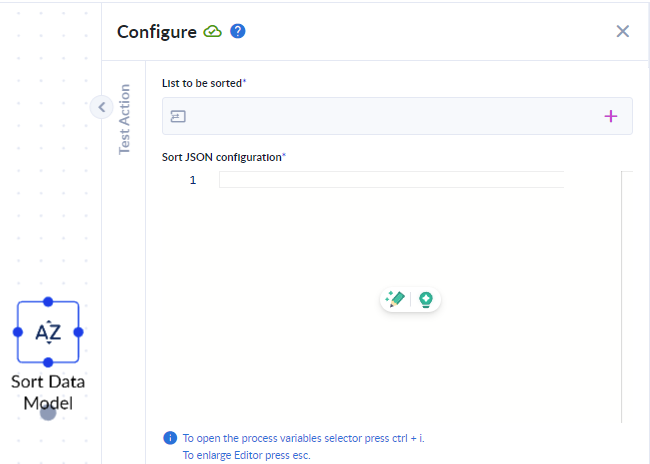
Parameters
Inputs
- list to be sorted (
list<object>): This is both input and output. It will return the updated list in the same variable. - Sort JSON Configuration: This should be a "Monaco editor", allowing JSON.
Outputs
- list to be sorted (
list<object>): This is both input and output. It will return the updated list in the same variable.
Configuration Details
The Sort JSON Configuration should have the following structure:
{
  "IdField":"id",
  "Sort":[
    {"Field":"path.Field1","OrderType":"Asc"},
    {"Field":"path.Field2","OrderType":"Desc"}
  ]
}
The list will be sorted based on the cumulative rules described above.
IdField
- This represents a field within the data structure that represents a unique value throughout the entire data set (e.g. the row identifier)
Sort
- The
Sortdefines the sorting criteria list where you can sort by multiple fields. Field: This specifies the field in the data model to sort by. For example, "path.Field1" refers to a field named "Field1" within an object located at the "path" in the data model.OrderType: This determines the sorting order for the specified field. It can have two values:- Asc: Sorts the field in ascending order (from lowest to highest).
- Desc: Sorts the field in descending order (from highest to lowest).
Simple Filter
The Simple Filter action allows you to filter simple lists, particularly those comprised of primitive types, used within your process.
List ToString
List ToString&x20;&x77;ill allow you to create a string from a list that can contain different data types and can be created with the aid of a data model.