

File To JSON
Reads a .json file and returns its content as JSON you can use in the process.
The File To JSON action reads a .json file (an uploaded file, a form attachment, a file from storage) and turns its content into a JSON value you can query, map or pass to other actions.
This action was previously called Read File / Read Json File.
Add the action
In the Process Designer toolbox, open JSON and pick File To JSON (or type File To JSON in the search box).
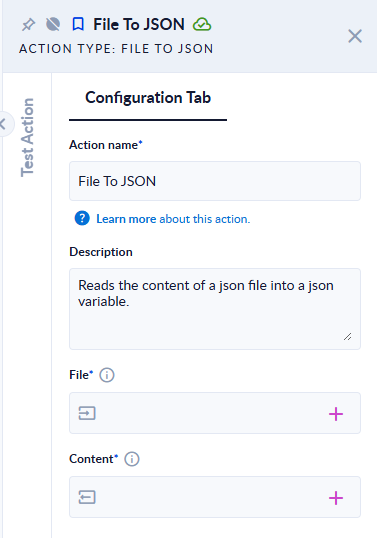
Inputs and outputs
| Field | Direction | Type | Required | What to put / what you get |
|---|---|---|---|---|
| File | Input | File | Yes | The .json file to read. |
| Content | Output | JSON | Yes | The file's content: a JSON object or a JSON array, exactly as written in the file. |
Example
| File | Content |
|---|---|
customer.json containing {"customer":{"name":"Ana","orders":[1,2]}} | {"customer":{"name":"Ana","orders":[1,2]}} |
orders.json containing [{"id":1},{"id":2}] | [{"id":1},{"id":2}] |
notes.txt | The step fails: File extension should be '.json', found => .txt |
Good to know
- The file name must end in
.json. Any other extension fails the step, even if the content is valid JSON. - If the content is not valid JSON, the step fails with
Exception when reading ->followed by the parser's message. - To read a JSON text you already hold in a variable (not a file), use String To JSON.