

Divide
Divides one number by another, whole or decimal.
Divide divides the first number (the numerator) by the second (the denominator) and gives you the quotient, with decimals when needed. Use it for averages, unit prices, or to split an amount into equal parts.
Add the action
In the Process Designer toolbox, open Numerical and pick Divide (or type Divide in the search box).
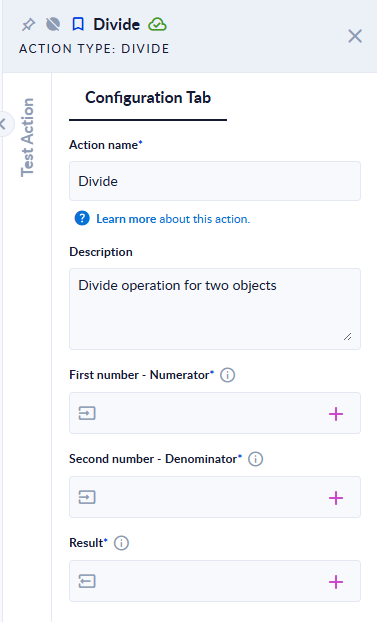
Inputs and outputs
| Field | Direction | Type | Required | What to put / what you get |
|---|---|---|---|---|
| First number - Numerator | Input | Number (whole or decimal) | Yes | The number to divide. |
| Second number - Denominator | Input | Number (whole or decimal) | Yes | The number to divide by. Cannot be 0. |
| Result | Output | Number (whole or decimal) | Yes | The quotient. |
Example
| First number - Numerator | Second number - Denominator | Result |
|---|---|---|
10 | 4 | 2.5 |
10 | 2 | 5 |
-9 | 2 | -4.5 |
1 | 3 | 0.3333333333333333 |
10 | 0 | step fails: Denominator cannot be 0. |
Good to know
- This is a true division, not a whole-number division:
10/4is2.5. For the remainder of a whole-number division, use Modulo; for the whole part, pass the result through Round Down with0digits. - Results that do not end, like 1/3, are cut after many decimals. Use Round to keep the number of decimals you want.
- When the result is a whole number, you get a whole number (
10/2gives5). - Use a dot for decimals. A comma is read as a thousands separator and ignored.
- A denominator of
0stops the step withDenominator cannot be 0.Text that is not a number stops it withInvalid input.