

Multiply
Multiplies two numbers, whole or decimal.
Multiply multiplies two numbers and gives you the product. It works with whole numbers and decimals alike. Use it for line totals (quantity × unit price), VAT, or percentages.
Add the action
In the Process Designer toolbox, open Numerical and pick Multiply (or type Multiply in the search box).
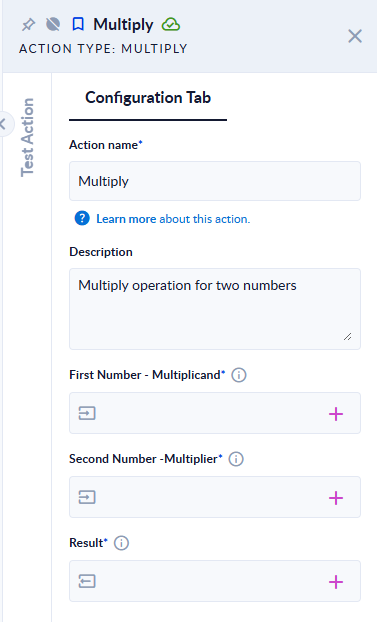
Inputs and outputs
| Field | Direction | Type | Required | What to put / what you get |
|---|---|---|---|---|
| First Number - Multiplicand | Input | Number (whole or decimal) | Yes | The first number. |
| Second Number -Multiplier | Input | Number (whole or decimal) | Yes | The number to multiply it by. |
| Result | Output | Number (whole or decimal) | Yes | The product. |
Example
| First Number - Multiplicand | Second Number -Multiplier | Result |
|---|---|---|
6 | 7 | 42 |
2.5 | 4 | 10 |
-1.5 | 3 | -4.5 |
10000000000 | 10000000000 | 100000000000000000000 |
Good to know
- Decimals are exact, with no rounding error. To keep a set number of decimals (for money, for example), pass the result through Round.
- When the product is a whole number, you get a whole number (
2.5×4gives10). - Use a dot for decimals. A comma is read as a thousands separator and ignored.
- Text that is not a number stops the step with
Invalid input.; an empty input stops it with an error.