

Rename File/Folder
The action Rename File/Folder, enables you to rename a file from within a specified folder.
The action Rename File/Folder, enables you to rename a file from within a specified folder.
FTP connection
For our example we used Rebex.
Step 1: Go to the Credentials Manager section and click Add New.
Step 2: Give your credential a Name* and Description (optional) and click Next step.
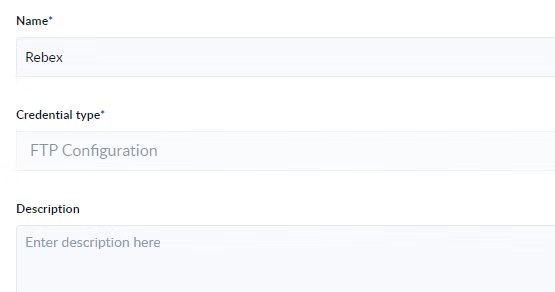
Step 3: Configure the FTP / sFTP connection as needed:
- Port number* - the port number used by the server.
- Protocol type - the protocol used depending on the encryption.
- Directory path - the entry point of the server.
- Authentication method - here you have the option to use a basic username and password authentication or a user key authentication.
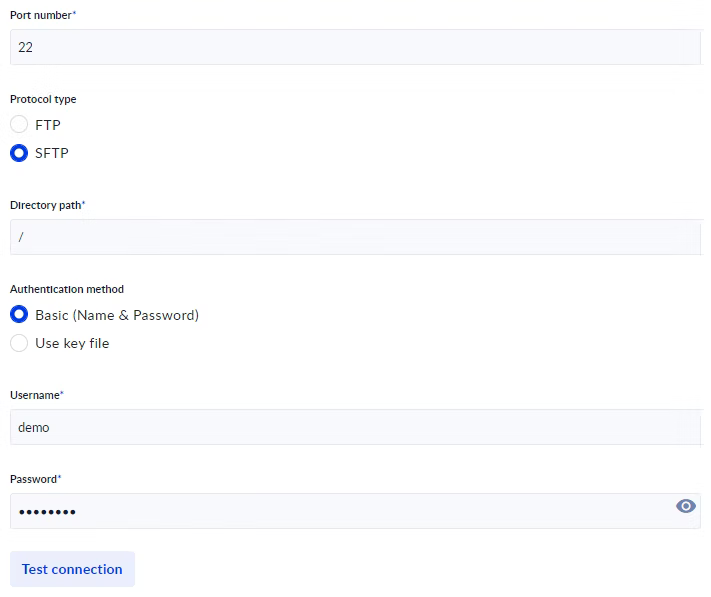
Step 4: Click Test connection and if successful click Save.
Create the process
Step 1: From the Process Designer section select Create new.
Step 2: Give you process a name.
Step 3: Drag the action Rename File/Folder on the canvas and link the action inside you process.
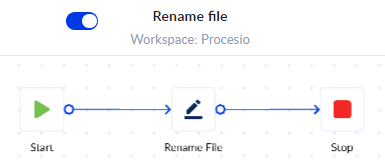
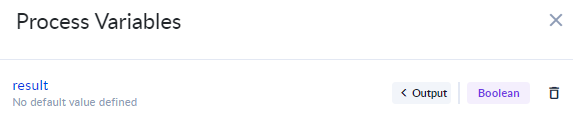
Step 4: Create the <%result%> variable of type Boolean.
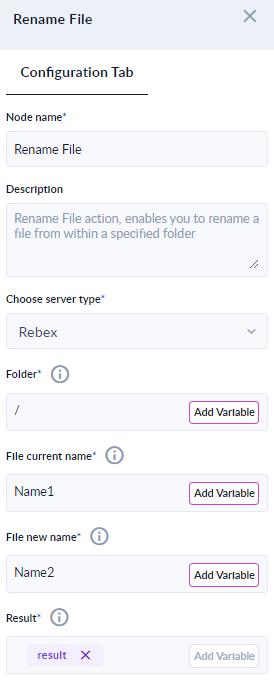
Step 5: Click the Rename File/Folder action to access its configurations.
- Node name* - gives you the option to change the actions name.
- Choose server type* - here we will select the connection created in the previous section.
- Folder* - allows you to select the path to the file you wish to rename.
- File current name* - the name of the file you wish to rename.
- File new name* - the new name of the file.
- Result - here we will add the variable created at Step 4.
Step 6: Save, Validate and Run the process.
Step 7: Click Check Instance.