

Object To String
Turns any value (object, list, number, text) into its JSON text.
The Object To String action turns any value into text, written as JSON. Use it when an action or an API needs a text field but you hold an object or a list, for example to put a JSON object in an email body or in a text column.
This action was previously called ToString.
Add the action
In the Process Designer toolbox, open Converters and pick Object To String (or type Object To String in the search box).
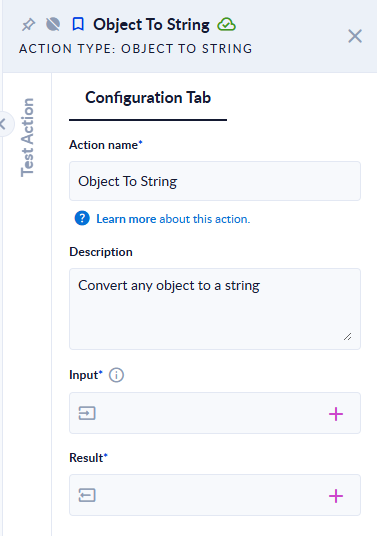
Inputs and outputs
| Field | Direction | Type | Required | What to put / what you get |
|---|---|---|---|---|
| Input | Input | Any type | Yes | The value to convert. |
| Result | Output | Text | Yes | The value written as JSON text. |
Example
| Input | Result |
|---|---|
the object {"a":1,"b":[true,null]} | {"a":1,"b":[true,null]} |
the list [1,2,3] | [1,2,3] |
the number 42 | 42 |
the text hello | "hello" (with the quotes) |
Good to know
- The output is compact JSON on a single line, without indentation.
- A text comes back in quotes, because that is how JSON writes a text. If you need the plain text, you do not need this action.
- To go the other way (text to JSON), use String To JSON.