

XML To JSON
Converts an XML text into JSON. Attributes become @-prefixed properties and repeated elements become lists.
The XML To JSON action converts an XML text into JSON, so you can work with it using the JSON actions (for example Extract Objects) or send it to a JSON API.
Add the action
In the Process Designer toolbox, open Converters and pick XML To JSON (or type XML To JSON in the search box).
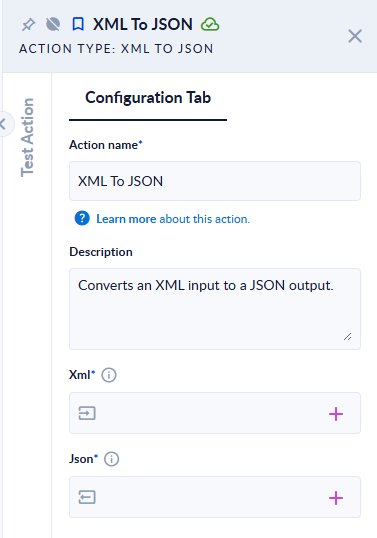
Inputs and outputs
| Field | Direction | Type | Required | What to put / what you get |
|---|---|---|---|---|
| Xml | Input | Text | Yes | The XML text to convert. |
| Json | Output | JSON | Yes | The converted JSON. |
Example
Xml <person id="7"><name>Ana</name><tag>a</tag><tag>b</tag></person> →
Json:
{ "person": { "@id": "7", "name": "Ana", "tag": ["a", "b"] } }Xml <person> (not closed) → the step fails: Input Error: Invalid XML => Unexpected end of file has occurred. The following elements are not closed: person. Line 1, position 9.
Good to know
- The root element becomes the top-level property (
person). - Attributes become properties whose name starts with
@("@id"). - An element that appears several times becomes a list (
"tag": ["a","b"]); an element that appears once is a single value. If the number of elements varies from one document to the next, the same path can be a value one time and a list the next. Plan your later steps for both. - Values come out as text (
"7", not7). - An empty Xml fails the step with
Input Error: Please provide non-empty values for all inputs !