

String to DateTime
This action parses a DateTime value from a String, based on a custom format specification.
This action parses a DateTime value from a String, based on a custom format specification.
Inputs & Outputs
Inputs
- String — String value to parse from.
- Language — Language used in the Input string for month names and days of the week.
- Drop-down with multiple languages.
- Format — String containing the DateTime format specification.
- Format List — A list of formats (array of strings) that the input can match against.
- When a Format List is provided, it overrides the single Format value.
- This gives more flexibility when the input may match more than one potential format.
Outputs
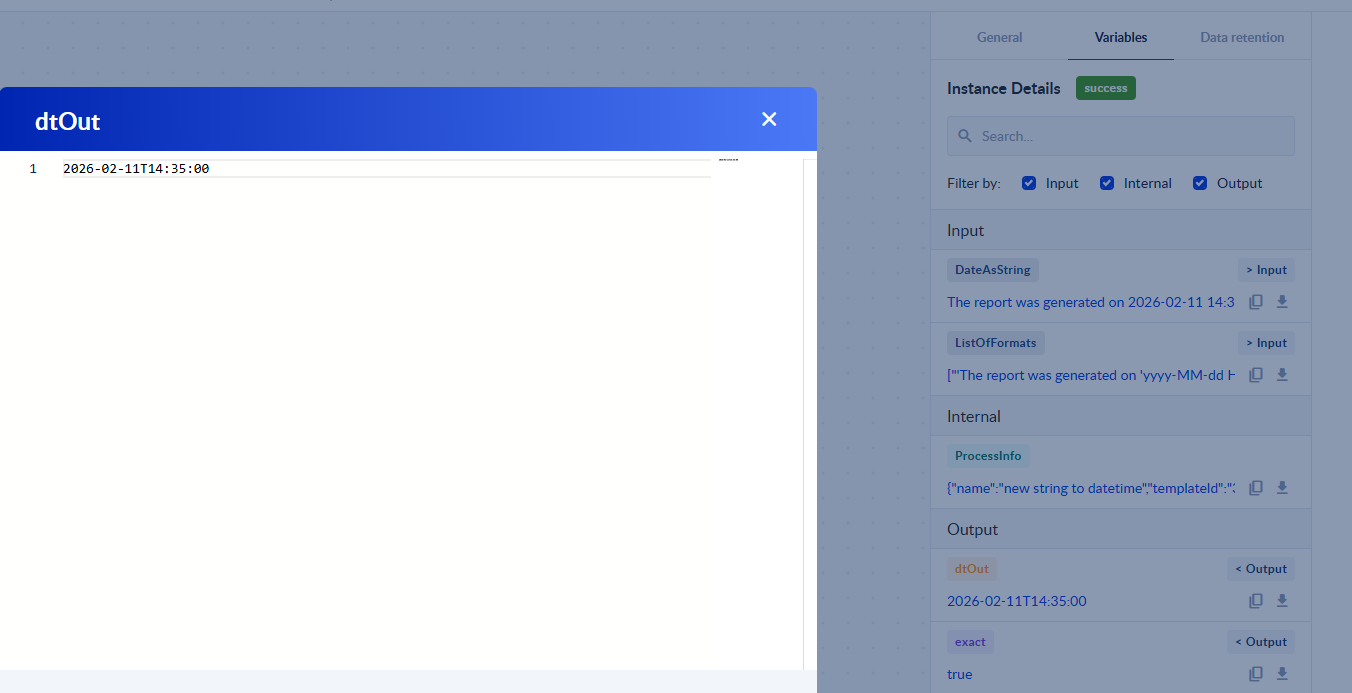
- Date — Parsed DateTime value.
- Exact format parsing — Boolean output that returns:
- TRUE when the output was parsed using an exact format from either Format or Format List.
- FALSE when a flexible or culture-based parse was used as a fallback.
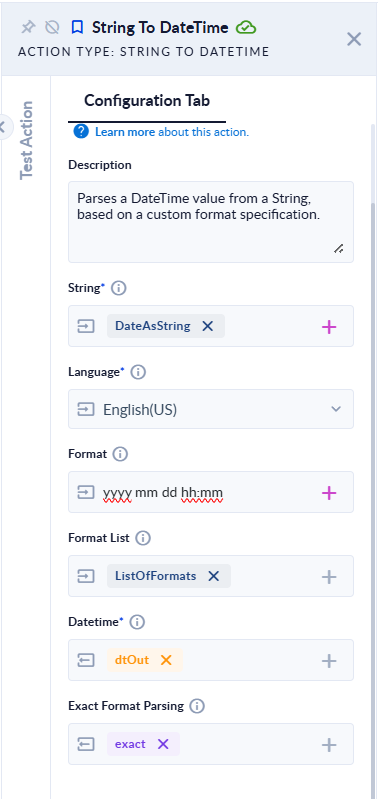
If you don't understand how Format or Format list should look, check the Helpers section
Behavior Notes
- If neither Format nor Format List contains a matching format for the input string, the action will attempt to parse using the closest reasonable format based on the specified language/culture.
Example Usage
- Drag action onto the canvas to get familiarized with it.
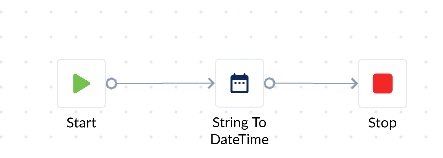
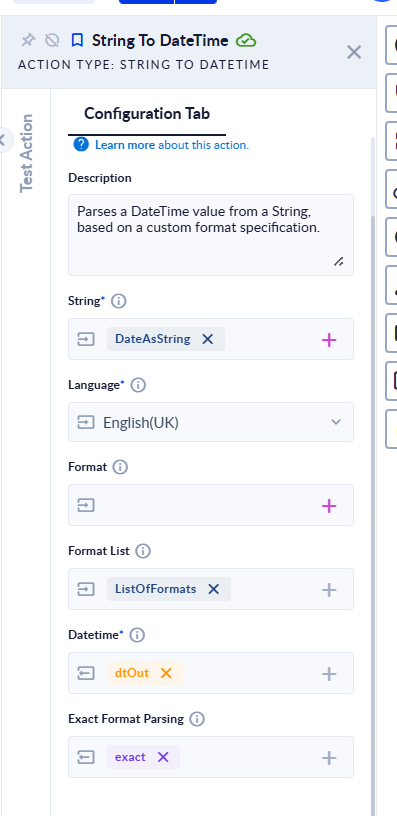
- Configure the inputs:
- Set the String you want to parse.
- Choose Language.
- Provide either a Format or a Format List (better for multiple possible formats). If you don't understand how it should look like, check the #helpers Helpers.
- Declare some variables to be used with the action.
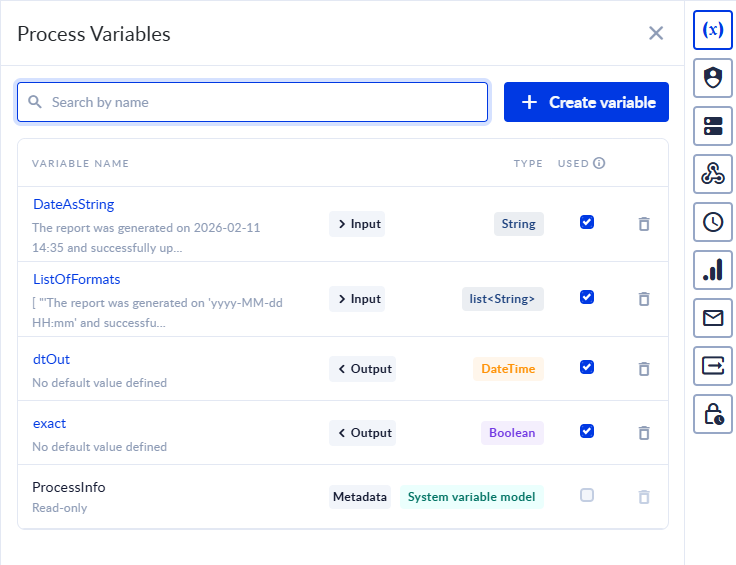
- Assign the newly created variables.
- Save & Run the process and then Check Instance to see the output.
Use Cases
- Extracting DateTime values from bodies of text coming from any source.
- Translating month names or days of the week from one language to another using the String To DateTime and Format DateTime actions together.
- Handling inputs that may come in several different date formats reliably using Format List.
Tips
- The Format and Format List fields use standard .NET format specifiers which are documented here: https://learn.microsoft.com/dotnet/standard/base-types/custom-date-and-time-format-strings
- The Language selector determines which language to use when the desired format contains:
- Month names: June (UK) | Iunie (RO) | Juin (FR)
- Days of the week: Monday (UK) | Luni (RO) | Lundi (FR)
- Make sure to escape letters used as format specifiers using quotes; otherwise those letters may be treated as placeholders for DateTime fields and the action will fail to parse.
📝 Helpers
- Using Format List with Literal Text
When your input string contains fixed text before or after the DateTime value, you must wrap the literal parts in single quotes ' ' inside the format string.
Correct Example (based on your input)
Input:
The report was generated on 2026-02-11 14:35 and successfully uploaded to the system.
Correct Format List:
[ "'The report was generated on 'yyyy-MM-dd HH:mm' and successfully uploaded to the system.'", "'The report was generated on 'yyyy-MM-dd HH:mm:ss' and successfully uploaded to the system.'" ]
Why This Works
- Everything wrapped in single quotes ' ' is treated as literal text
- yyyy-MM-dd HH:mm and yyyy-MM-dd HH:mm:ss represent the DateTime format patterns
- The entire input string must match the format exactly
⚠️ If the literal text is not wrapped in single quotes, parsing will fail because letters like T, r, e, etc., are interpreted as DateTime format specifiers.
Hour Format Specifiers
Use the correct hour token depending on your time format:
- HH → 24-hour format (00–23)
- hh → 12-hour format (01–12)
When using hh, you should also include tt to support AM/PM.
Examples
- HH:mm → 14:30
- hh:mm tt → 02:30 PM
Using the wrong hour specifier may result in incorrect parsing or unexpected time values.