

Get Last Used Row
Returns the number of the last used row in an Excel sheet, or 0 for an empty sheet.
Get Last Used Row tells you the number of the last row that is used on a sheet. Use it to build the range for Read Range when you do not know in advance how many rows a file has, for example A2:F followed by the result.
Add the action
In the Process Designer toolbox, open Excel and pick Get Last Used Row (or type Get Last Used Row in the search box).
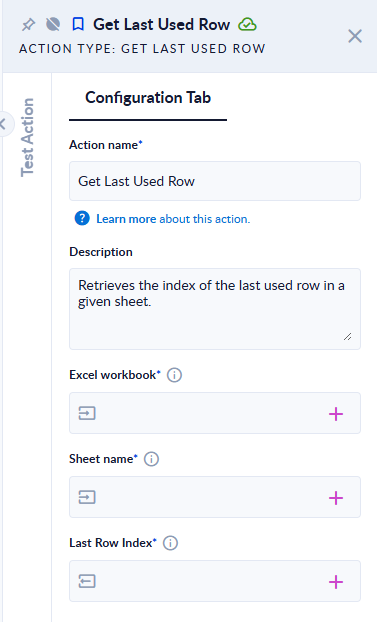
Inputs and outputs
| Field | Direction | Type | Required | What to put / what you get |
|---|---|---|---|---|
| Excel workbook | Input | File | Yes | An .xlsx or .xlsm workbook. |
| Sheet name | Input | Text | Yes | The sheet to check. |
| Last Row Index | Output | Integer | Yes | The number of the last used row (row 1 is 1), or 0 when the sheet is empty. |
Example
| Sheet | Last Row Index |
|---|---|
| Orders, with a header in row 1 and data in rows 2–4 | 4 |
| Empty, a blank sheet | 0 |
Good to know
- The result is the last row stored in the file, so a row that only has formatting (and no value) can count as used.
- Empty rows in the middle of the data do not matter: the result is the last row, not the number of rows.