

Get Named Range
Finds a named range in an Excel workbook and returns its sheet and cell range.
Get Named Range looks up a name defined in a workbook (in Excel: Formulas › Name Manager) and tells you which sheet and which cells it points to. Use it with Read Range when a template marks its data area with a name instead of fixed cell addresses.
Add the action
In the Process Designer toolbox, open Excel and pick Get Named Range (or type Get Named Range in the search box).
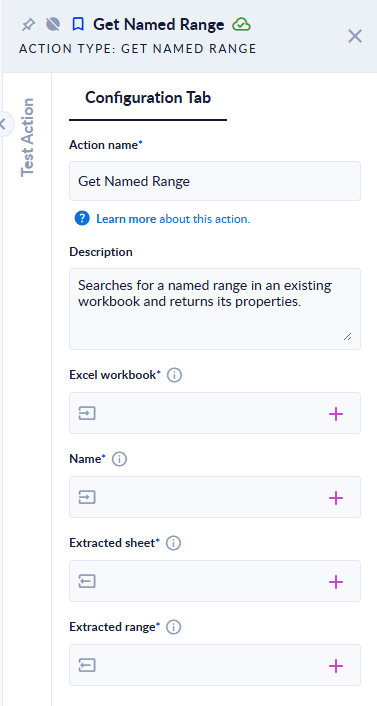
Inputs and outputs
| Field | Direction | Type | Required | What to put / what you get |
|---|---|---|---|---|
| Excel workbook | Input | File | Yes | An .xlsx or .xlsm workbook. |
| Name | Input | Text | Yes | The name of the range, exactly as defined in the workbook. |
| Extracted sheet | Output | Text | Yes | The sheet the range is on. |
| Extracted range | Output | Text | Yes | The cells, as A2:D4, ready for the Range field of Read Range. |
Example
A workbook where the name OrderLines refers to Orders!$A$2:$D$4:
| Name | Extracted sheet | Extracted range |
|---|---|---|
OrderLines | Orders | A2:D4 |
orderlines | The step fails: "Excel error: Could not find any range named => orderlines" |
Good to know
- The name is case-sensitive.
- The
$signs are removed. A name that points to one cell is returned as a range, for exampleB5:B5. - A name that does not point to cells on a sheet (for example a constant or a formula) fails with "Excel error: Something went wrong when attempting to extract properties.".
- If the sheet name contains spaces, Excel stores it in single quotes, and Extracted sheet keeps them (for example
'Sales 2026').