

Has Elements
Stops the process with an error when a list is empty or has no value; lets it continue otherwise.
The Has Elements action is a guard: it checks that a list has at least one element. If the list is empty or has no value, the step fails with an error; otherwise the process simply continues. Use it before actions that cannot handle an empty list, such as Max, Min, Median, Filter or Get Element.
Add the action
In the Process Designer toolbox, open List and pick Has Elements (or type Has Elements in the search box).
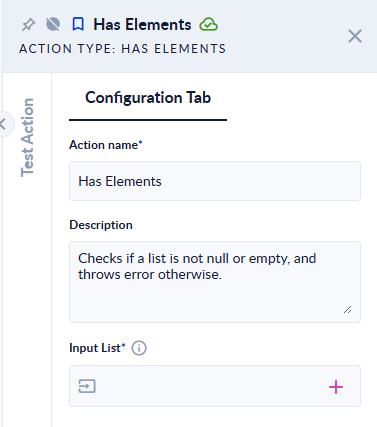
Inputs and outputs
| Field | Direction | Type | Required | What to put / what you get |
|---|---|---|---|---|
| Input List | Input | List of any type | Yes | The list to check. |
The action has no output. Its result is the step outcome: it either succeeds or fails.
Example
| Input List | Outcome |
|---|---|
[1] | The step succeeds and the process continues. |
[] | The step fails: Input List is null or empty. |
| (variable with no value) | The step fails: Input List is null or empty. |
Good to know
- The action does not return
true/false. To branch on "is the list empty?" without failing, use Length and a Decisional on the result (0means empty).