

Normalize Diacritics
Removes accents and other diacritical marks from letters, for example é becomes e and ș becomes s.
Normalize Diacritics removes accents and other diacritical marks from letters: é becomes e, ă becomes a, ș becomes s. Use it before comparing names typed with and without diacritics, or before sending text to a system that accepts only plain Latin letters (file names, IDs, old databases).
Add the action
In the Process Designer toolbox, open String and pick Normalize Diacritics (or type Normalize Diacritics in the search box).
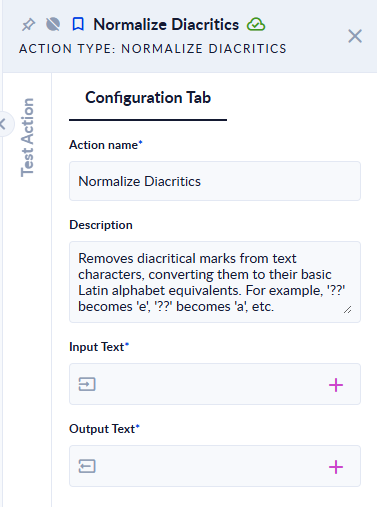
Inputs and outputs
| Field | Direction | Type | Required | What to put / what you get |
|---|---|---|---|---|
| Input Text | Input | Text | Yes | The text to clean. |
| Output Text | Output | Text | Yes | The same text without diacritical marks. |
Example
| Input Text | Output Text |
|---|---|
Știința și țara: ăâîșț ĂÂÎȘȚ | Stiinta si tara: aaist AAIST |
Crème brûlée, Ångström, naïve | Creme brulee, Angstrom, naive |
Øre, Straße, Łódź | Øre, Straße, Łodz |
| (empty text) | (empty text) |
Good to know
- Upper and lower case are kept.
- Only marks added on top of or under a letter are removed. Letters that are separate letters in their alphabet, such as
ø,ł,ßoræ, are not changed (third example:óbecomeso, butŁstays). Use Replace for those. - Spaces, digits and punctuation are not changed.