

Substring
Returns the part of a text that starts at a given position and runs to the end.
Substring returns everything from a given position to the end of a text, for example the part after a prefix of known length. Positions count from 0. To take a piece of a fixed length instead, use Take From Middle.
Add the action
In the Process Designer toolbox, open String and pick Substring (or type Substring in the search box).
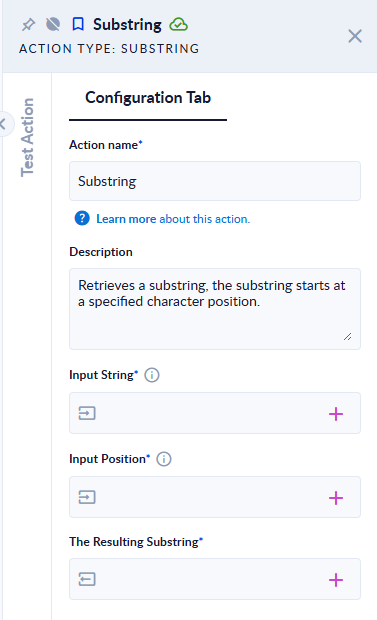
Inputs and outputs
| Field | Direction | Type | Required | What to put / what you get |
|---|---|---|---|---|
| Input String | Input | Text | Yes | The text to take the part from. |
| Input Position | Input | Integer | Yes | Where the part starts. The first character is at position 0. |
| The Resulting Substring | Output | Text | Yes | The text from Input Position to the end. |
Example
| Input String | Input Position | The Resulting Substring |
|---|---|---|
Hello world | 6 | world |
Hello world | 0 | Hello world |
Hello | 5 | (empty text) |
Hello | 10 | the step fails |
Hello | -1 | the step fails |
Good to know
- Positions start at 0, so position
6is the seventh character. - A position past the end of the text fails the step with "startIndex cannot be larger than length of string." A position equal to the length gives an empty text.
- A negative position fails the step with "startIndex ('-1') must be a non-negative value."
- If the position comes from another step, check it against Length first, or connect the step's error route.