

Concatenate
Joins two texts into one, the second right after the first.
Concatenate puts two texts together, the second right after the first, for example a first name and a last name, or a folder path and a file name.
Add the action
In the Process Designer toolbox, open String and pick Concatenate (or type Concatenate in the search box). The List folder has an action with the same name that joins two lists; make sure you pick the one in String.
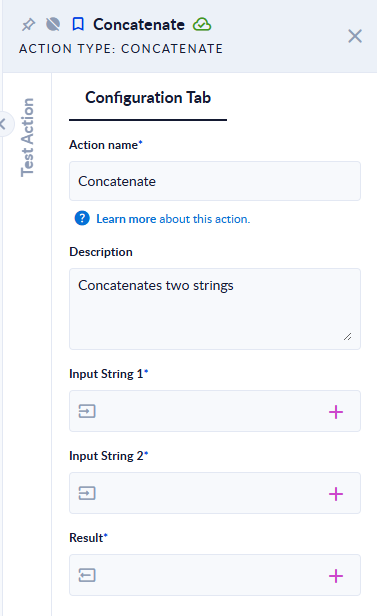
Inputs and outputs
| Field | Direction | Type | Required | What to put / what you get |
|---|---|---|---|---|
| Input String 1 | Input | Text | Yes | The first text. |
| Input String 2 | Input | Text | Yes | The text to add after it. |
| Result | Output | Text | Yes | The two texts joined. |
Example
| Input String 1 | Input String 2 | Result |
|---|---|---|
Hello, | world | Hello, world |
abc | (empty) | abc |
Good to know
- No space is added between the texts. Put the space at the end of the first text or the start of the second, as in the first example.
- To join more than two values, use Join with a list.