

Join
Joins a list of texts into one text, with a separator between the items.
Join turns a list of texts into one text, putting a separator between the items, for example ["red","green","blue"] into red, green, blue. It is the opposite of Split.
Add the action
In the Process Designer toolbox, open String and pick Join (or type Join in the search box). Don't confuse it with the Join action at the top of the toolbox, which brings process branches back together.
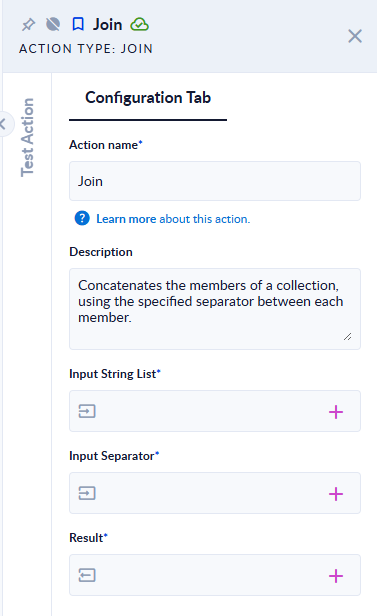
Inputs and outputs
| Field | Direction | Type | Required | What to put / what you get |
|---|---|---|---|---|
| Input String List | Input | List of Text | Yes | The list to join. Map a process variable of type Text that is marked as a list. |
| Input Separator | Input | Text | Yes | The text to put between the items, for example , or ;. Leave it empty to glue the items together. |
| Result | Output | Text | Yes | The joined text. |
Example
| Input String List | Input Separator | Result |
|---|---|---|
["red", "green", "blue"] | , | red, green, blue |
["a", "b"] | (empty) | ab |
["a", "", "c"] | ; | a;;c |
["only"] | , | only |
[] (empty list) | , | (empty text) |
Good to know
- Map a list variable to Input String List. A value typed straight into the field is not read as a list, and the step fails with "Value could not be converted to property TYPE."
- Empty items are kept, so they show up as two separators in a row.
- The separator can be any text, including a new line.