

Take From Middle
Returns a piece of a text that starts at a given position and has the length you choose.
Take From Middle returns a piece of a text: you say where it starts and how many characters it has. Positions count from 0. Use it to read a fixed-position field, such as characters 6 to 10 of a code.
Take From Middle was previously called String Mid.
Add the action
In the Process Designer toolbox, open String and pick Take From Middle (or type Take From Middle in the search box).
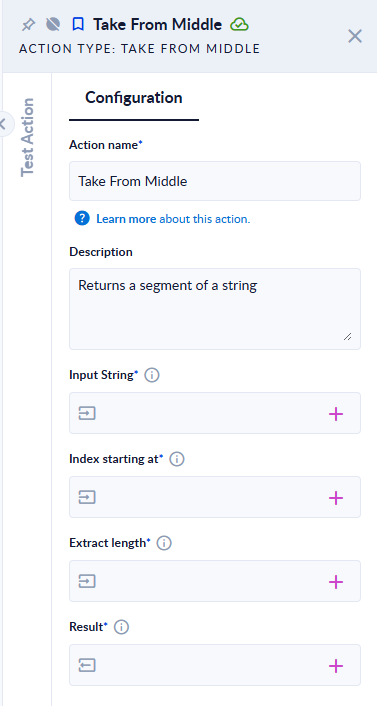
Inputs and outputs
| Field | Direction | Type | Required | What to put / what you get |
|---|---|---|---|---|
| Input String | Input | Text | Yes | The text to take the piece from. |
| Index starting at | Input | Integer | Yes | Where the piece starts. The first character is at position 0. |
| Extract length | Input | Integer | Yes | How many characters to take. |
| Result | Output | Text | Yes | The piece of text. |
Example
| Input String | Index starting at | Extract length | Result |
|---|---|---|---|
Hello world | 6 | 5 | world |
Hello world | 0 | 4 | Hell |
Hello world | 6 | 50 | world |
| (empty text) | 1 | 2 | (empty text) |
Hello | 10 | 2 | the step fails |
Hello | -1 | 2 | the step fails |
Good to know
- Positions start at 0.
- A length that runs past the end is safe: you get the text up to the end.
- The start position must be inside the text. A start past the end fails the step with "startIndex cannot be larger than length of string.", and a negative start fails with "startIndex ('-1') must be a non-negative value."
- An empty input gives an empty result, whatever the positions.